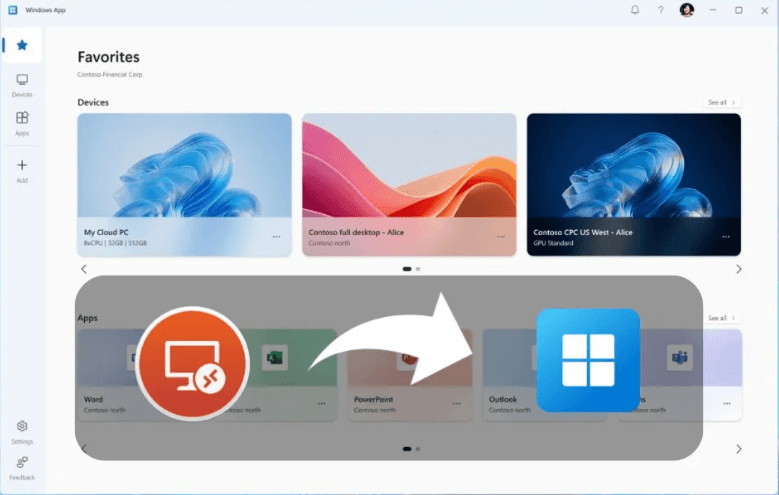
Microsoft’s new Windows App is rapidly becoming the unified client for accessing:
- Azure Virtual Desktop (AVD)
- Windows 365 Cloud PCs
- Remote PCs
It replaces the legacy Remote Desktop client experience with a modern, cross-platform, Entra-integrated approach.
However, as with any evolving platform, there are limitations, behavioural changes, and hidden features that IT teams must understand—especially when transitioning enterprise environments.
🚀 Why the Windows App Matters
The Windows App introduces:
- Unified access to AVD, W365, and Dev Box
- Improved identity integration (Entra ID-first)
- Modern UX across devices
- Enhanced redirection and device control
👉 But… feature parity across platforms is still evolving.
⚠️ Known Limitations by Platform
🖥️ Windows (Desktop)
The Windows App on Windows provides the most complete experience, but still has some gaps:
Limitations
Known issues and limitations of Windows App - Windows App | Microsoft Learn
🍏 macOS
The macOS Windows App is improving, but still behind Windows:
Limitations
Known issues and limitations of Windows App - Windows App | Microsoft Learn
📱 iOS / iPadOS
The mobile experience is clean but simplified:
Limitations
Known issues and limitations of Windows App - Windows App | Microsoft Learn
🤖 Android
Android is similar to iOS but slightly more flexible:
Limitations
Known issues and limitations of Windows App - Windows App | Microsoft Learn
🔄 Migration Considerations (Critical for IT Teams)
“Admins: You have just over a week to migrate from the Remote Desktop app to the Windows App…”
What This Means
- Microsoft is pushing towards Windows App as the primary client
- Legacy Remote Desktop client will be phased out over time
⚠️ Key Risks
- Feature gaps between old and new client
- User disruption if not properly tested
- Policy / redirection inconsistencies
- Conditional Access or networking differences
🔐 Security Considerations
The Windows App aligns strongly with:
- Microsoft Entra authentication
- Conditional Access
- Device compliance
🚀 Summary
🔍 Windows App vs Remote Desktop Client (AVD & Windows 365)
| Feature / Capability | Windows App (New) | Remote Desktop Client (Legacy) |
|---|---|---|
| Primary Use Case | Unified access (AVD, W365, Dev Box, Remote PC) | AVD + traditional RDP |
| User Experience (UX) | Modern, simplified, cloud-first | Classic, more technical |
| Platform Support | Windows, macOS, iOS, Android | Primarily Windows (limited macOS/mobile variants) |
| Entra ID Integration | Native, built-in | Supported but less seamless |
| Conditional Access Support | Strong, cloud-native | Supported but less integrated |
| Multi-Workspace Support | Yes (clean UI) | Yes (less intuitive) |
| Connection Types | AVD, W365, Remote PC (unified) | AVD + manual RDP connections |
| Direct PC Connectivity | ✅ Supported (via registry / feature flag) | ❌ Not supported |
| Peer-to-Peer Connections | ✅ Supported (hidden feature) | ❌ Not available |
| Custom RDP File Support | ❌ Limited / not exposed | ✅ Full support |
| Advanced RDP Settings | ⚠️ Limited UI exposure | ✅ Full control |
| Device Redirection (USB, Drives, Audio) | ✅ Supported (UI-driven, improving) | ✅ Mature and fully configurable |
| Granular Redirection Policies | ⚠️ Limited / evolving | ✅ Full control via RDP properties |
| Multi-Monitor Support | ✅ Supported | ✅ Supported (more granular control) |
| GPU / AV Optimisation Controls | ⚠️ Limited visibility | ✅ More configurable |
| FSLogix Compatibility | ✅ Fully supported | ✅ Fully supported |
| Performance Tuning Options | ⚠️ Basic | ✅ Advanced |
| Offline / Manual Configurations | ❌ Limited | ✅ Supported |
| Registry / Hidden Feature Support | ✅ Yes (e.g. PeerToPeerConnectionsEnabled) | ❌ Minimal |
| Cross-Platform Consistency | ✅ High | ❌ Varies by client |
| Enterprise Policy Control (Intune/GPO) | ⚠️ Improving | ✅ Mature |
| Future Microsoft Investment | 🚀 Primary focus | ⚠️ Being phased out |
| Migration Requirement | ⚠️ Required (eventually) | ❌ Legacy support only |
💡 Key Takeaways
🚀 Where Windows App Wins
- Unified experience across AVD, W365, and Remote PCs
- Better alignment with Microsoft Entra & Zero Trust
- Cross-platform consistency
- New capabilities like:
- Peer-to-peer connections
- Direct PC access
🧠 Final Thoughts
The Windows App represents a major shift in how users access AVD and Windows 365:
- More modern
- More flexible
- More cloud-native
But…
👉 It’s not yet a complete replacement in every scenario
👉 Enterprise readiness depends on configuration and testing
The hidden features show that:
💡 There’s more capability under the hood than what’s exposed in the UI today
Click Here To Return To Blog