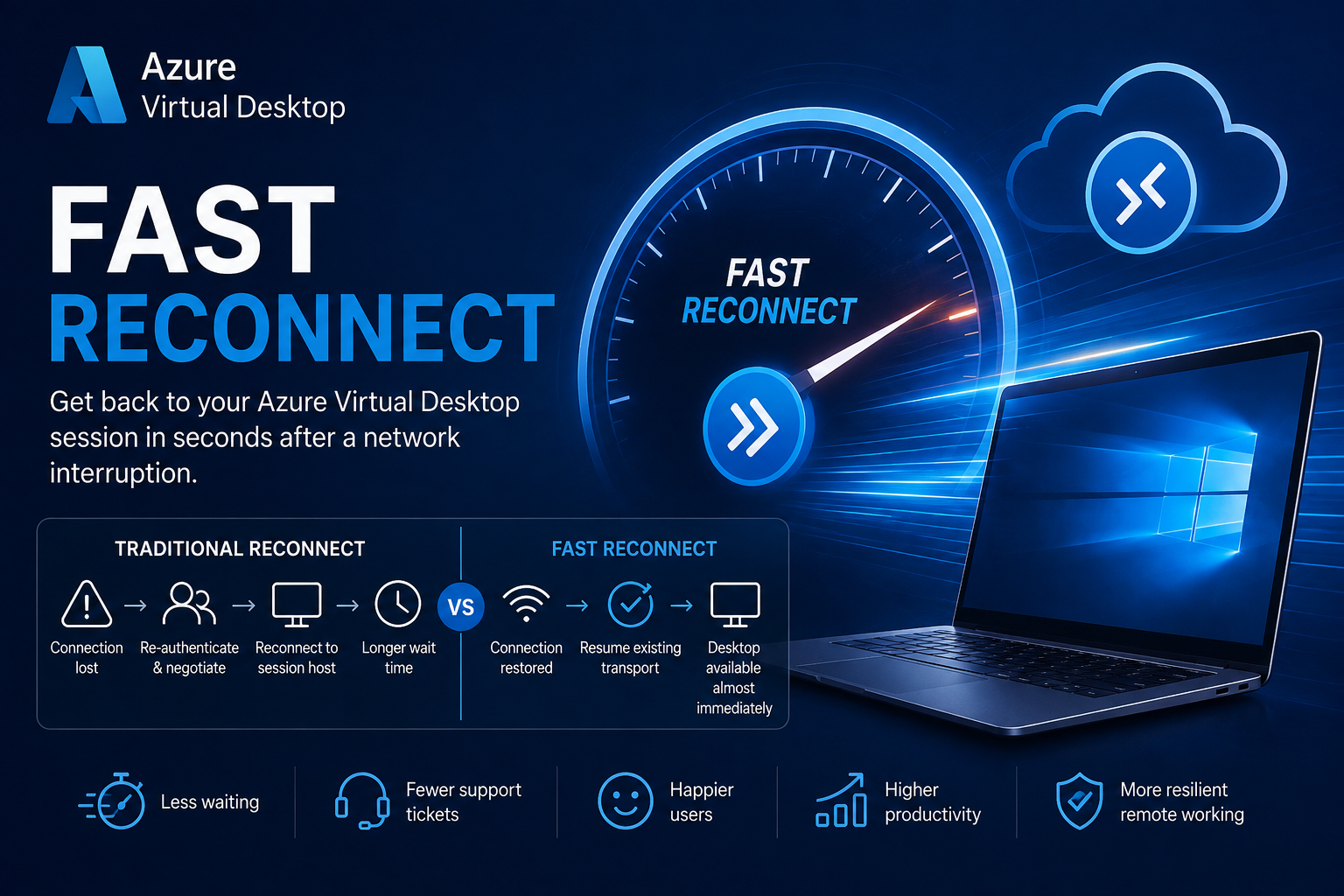
Azure Virtual Desktop Fast Reconnect represents Microsoft's next evolution in connection resiliency. By restoring interrupted sessions in seconds, organisations can deliver a smoother, more resilient digital workspace while reducing user frustration, improving productivity and complementing existing technologies such as RDP Shortpath and RDP Multipath.
What is Fast Reconnect?
Fast Reconnect is a new Azure Virtual Desktop connection resiliency feature that significantly reduces the time it takes users to reconnect to an existing session after a temporary network interruption, such as:
- Wi-Fi roaming between access points
- Laptop moving between wired and wireless
- VPN reconnects
- Short ISP outages
- Mobile hotspot interruptions
- Brief packet loss
Instead of performing a full session negotiation, Azure Virtual Desktop rapidly restores the existing session, giving users a much more seamless experience
Note: At time of writing this blog this feature is in Public Preview
Fast Reconnect vs Existing Azure Virtual Desktop Connectivity Technologies
One of the biggest questions surrounding Fast Reconnect is how it differs from technologies already available in Azure Virtual Desktop.
While they all contribute to improving the end-user experience, they solve different problems and are designed to work together rather than replace one another.
| Feature | Purpose | Primary Benefit | Works During Active Session? |
|---|---|---|---|
| Traditional Auto-Reconnect | Restores disconnected sessions | Basic session recovery | ✅ Yes |
| RDP Shortpath | Optimises the network route between client and session host | Lower latency and improved performance | ✅ Yes |
| RDP Multipath | Uses multiple simultaneous network paths | Resilience against network degradation | ✅ Yes |
| Fast Reconnect | Rapidly resumes an interrupted session | Minimises disruption after temporary network loss | ✅ Yes |
Think of the technologies as layers:
- RDP Shortpath makes the connection faster.
- RDP Multipath makes the connection more resilient.
- Fast Reconnect restores interrupted sessions almost instantly.
- Traditional Auto-Reconnect remains the fallback mechanism when a full reconnection is required.
When deployed together, they deliver Microsoft's most resilient Azure Virtual Desktop connectivity experience to date.
Fast Reconnect vs Traditional Auto-Reconnect
For many years, Azure Virtual Desktop has supported Automatic Reconnection.
When a user's network drops, the client attempts to reconnect to their existing session.
Although effective, the process requires several backend operations including:
- Re-establishing communication with the Azure Virtual Desktop service
- Validating authentication tokens
- Contacting the Connection Broker
- Locating the existing user session
- Reconnecting to the session host
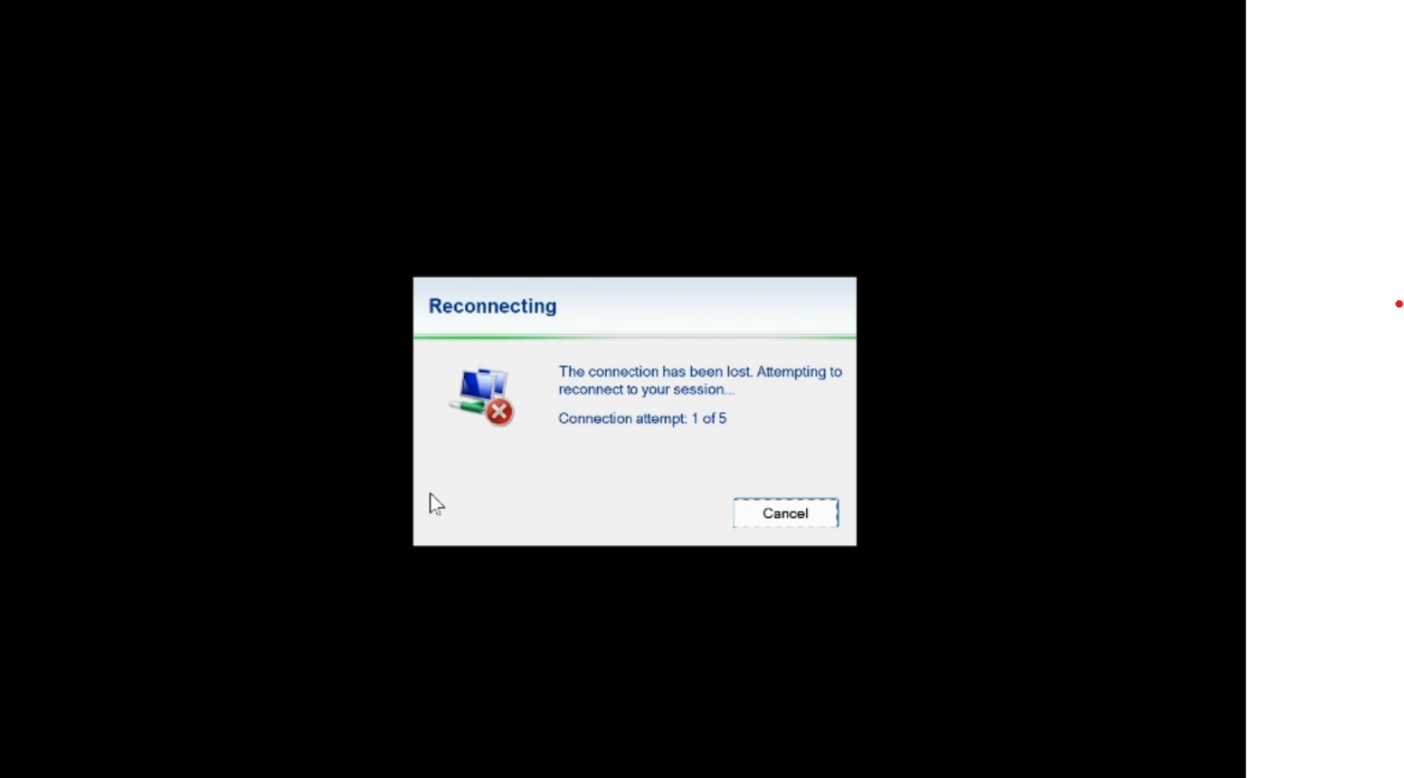
Even if these steps only take a few seconds, users often experience:
- Frozen applications
- "Attempting to reconnect" messages
- Noticeable delays
- Interrupted workflows
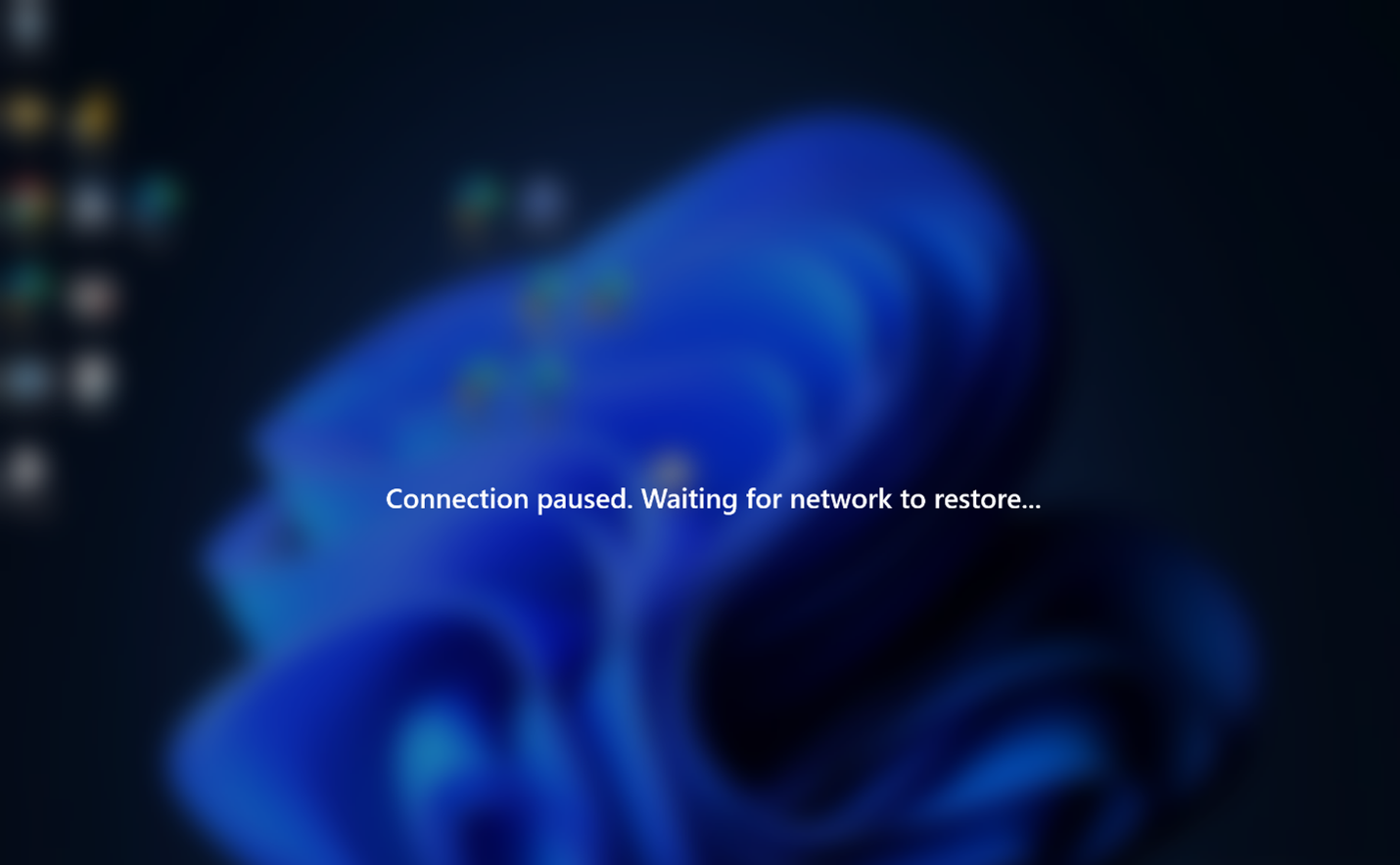
Fast Reconnect streamlines this process, allowing temporary network interruptions to be recovered far more quickly without requiring a complete session negotiation wherever possible.
For users, the experience feels much closer to using a locally installed PC.
How Fast Reconnect Complements RDP Shortpath
RDP Shortpath changes how traffic travels between the client and the session host.
Instead of routing all traffic through Azure gateways, Shortpath creates a more direct UDP-based connection whenever possible.
Benefits include:
- Lower latency
- Reduced jitter
- Better Teams and multimedia performance
- Improved responsiveness
- More consistent user experience
Fast Reconnect doesn't replace Shortpath.
Instead, if a Shortpath connection experiences a brief interruption, Fast Reconnect helps restore the active session more quickly, reducing the impact of transient network issues.
How Fast Reconnect Complements RDP Multipath
RDP Multipath is designed to improve resilience by allowing Azure Virtual Desktop to use multiple network paths simultaneously.
Examples include:
- Ethernet + Wi-Fi
- Wi-Fi + Mobile hotspot
- Multiple internet routes
If one network path degrades or fails, Multipath can seamlessly transition traffic to another available route.
Fast Reconnect provides an additional layer of resilience for scenarios where all available paths are temporarily interrupted.
Together they significantly reduce session interruptions for mobile and hybrid workers.
Supported Clients
Fast Reconnect requires supported Azure Virtual Desktop clients.
Microsoft recommends using the latest versions of:
- Azure Virtual Desktop Windows app for Windows - 2.0.1069.0 or later
- Azure Virtual Desktop Windows app for macOS - tbc
- Azure Virtual Desktop Windows app for iOS - tbc
- Azure Virtual Desktop Windows app for Android - tbc
- Azure Virtual Desktop Windows web client (where supported) - tbc
*Note: Expect versions to be known when this feature goes GA
Keeping client applications updated ensures access to the latest networking improvements, security updates, and connection enhancements.
Prerequisites
Before planning to use Fast Reconnect, verify the following:
Azure Virtual Desktop deployment
- Azure Virtual Desktop service
- Current Azure Virtual Desktop Agent
- Current Agent Boot Loader
Client software
- Latest supported Windows App or Azure Virtual Desktop client
- Supported operating system
Network
Microsoft recommends:
- Stable UDP connectivity
- Low packet loss
- Consistent internet connectivity
- Appropriate firewall configuration
- Outbound connectivity to Azure Virtual Desktop service endpoints
Although Fast Reconnect helps minimise the impact of temporary network interruptions, it cannot compensate for persistent network instability.
Best Practices
To maximise the benefits of Fast Reconnect, Microsoft recommends combining it with other Azure Virtual Desktop networking enhancements.
1. Deploy RDP Shortpath
Provides lower latency and improved session performance.
2. Enable RDP Multipath
Improves resilience by allowing Azure Virtual Desktop to intelligently utilise multiple available network paths.
3. Keep AVD components current
Regularly update:
- Azure Virtual Desktop Agent
- Agent Boot Loader
- Windows App
- Azure Virtual Desktop clients
New networking improvements are frequently delivered through client and agent updates.
4. Monitor Connection Quality
Use:
- Azure Virtual Desktop Insights
- Log Analytics
- Nerdio Real-Time Insights
- Network monitoring tools
Track:
- Session reconnect frequency
- Network latency
- Packet loss
- UDP utilisation
- Connection failures
Monitoring trends can help identify underlying network issues before users report problems.
5. Test Under Real-World Conditions
Validate Fast Reconnect by simulating common user scenarios, including:
- Switching between Wi-Fi access points
- Disconnecting and reconnecting Ethernet
- VPN reconnects
- Mobile hotspot failover
- Temporary ISP interruptions
Testing realistic conditions helps ensure users experience the intended benefits before wider deployment.
Fabs Recommendation
Fast Reconnect, at time of writing this is in Public Preview, is best viewed as part of Microsoft's evolving Azure Virtual Desktop networking strategy rather than a standalone feature.
When combined with RDP Shortpath, RDP Multipath, Windows App, and proactive monitoring through Azure Virtual Desktop Insights or Nerdio Manager, organisations can deliver a highly resilient digital workspace that remains responsive even during transient network disruptions.
For customers supporting hybrid workers, roaming devices, and business-critical applications, adopting these technologies together can significantly improve user experience while reducing connectivity-related support incidents.
Reference
Click Here To Return To Blog