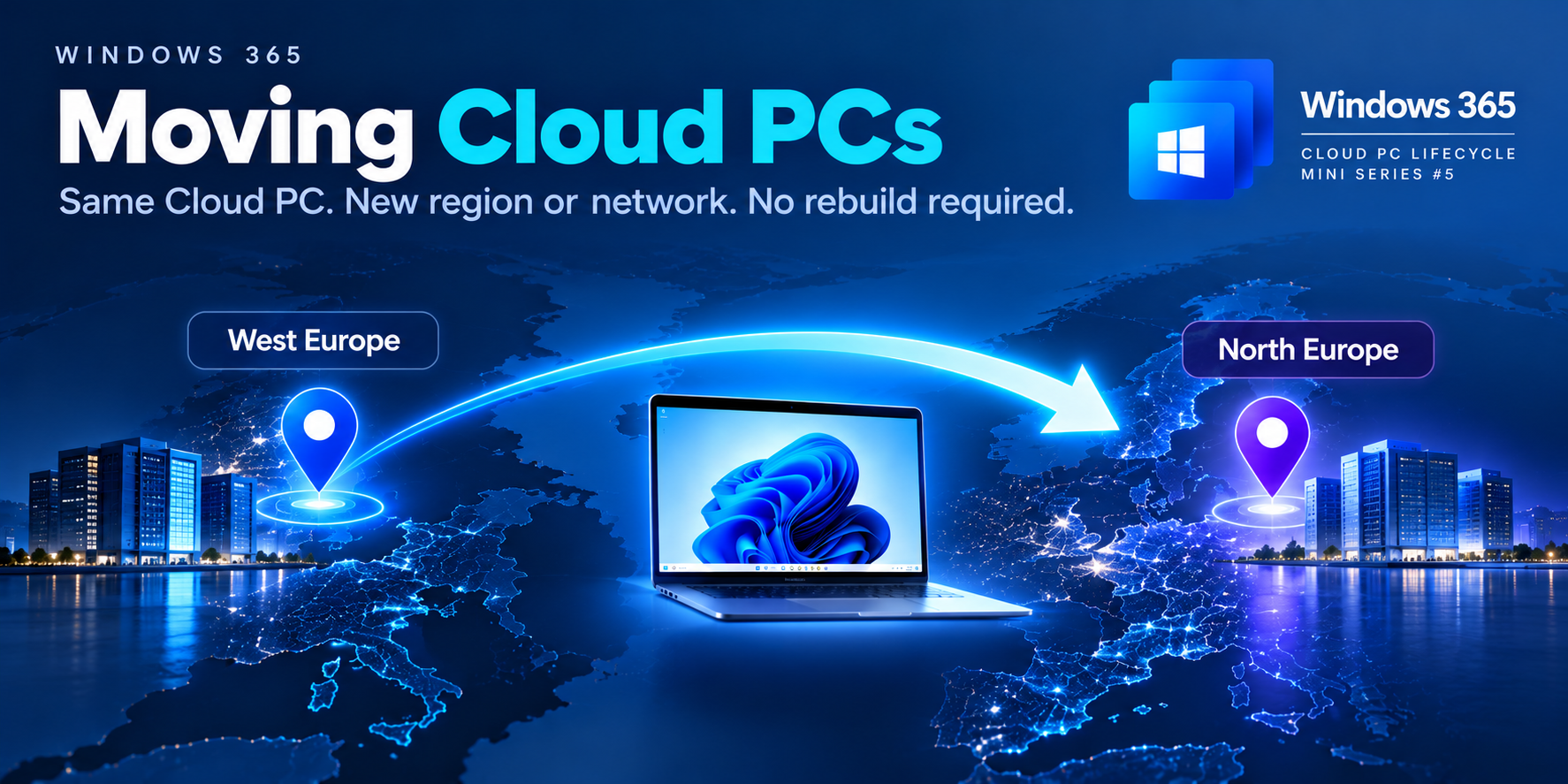
Same Cloud PC. New Azure region or network. No rebuild required.
Your users have relocated, applications are hosted in another Azure region, or your organisation is changing its network architecture.
Do you need to delete and rebuild every Windows 365 Cloud PC?
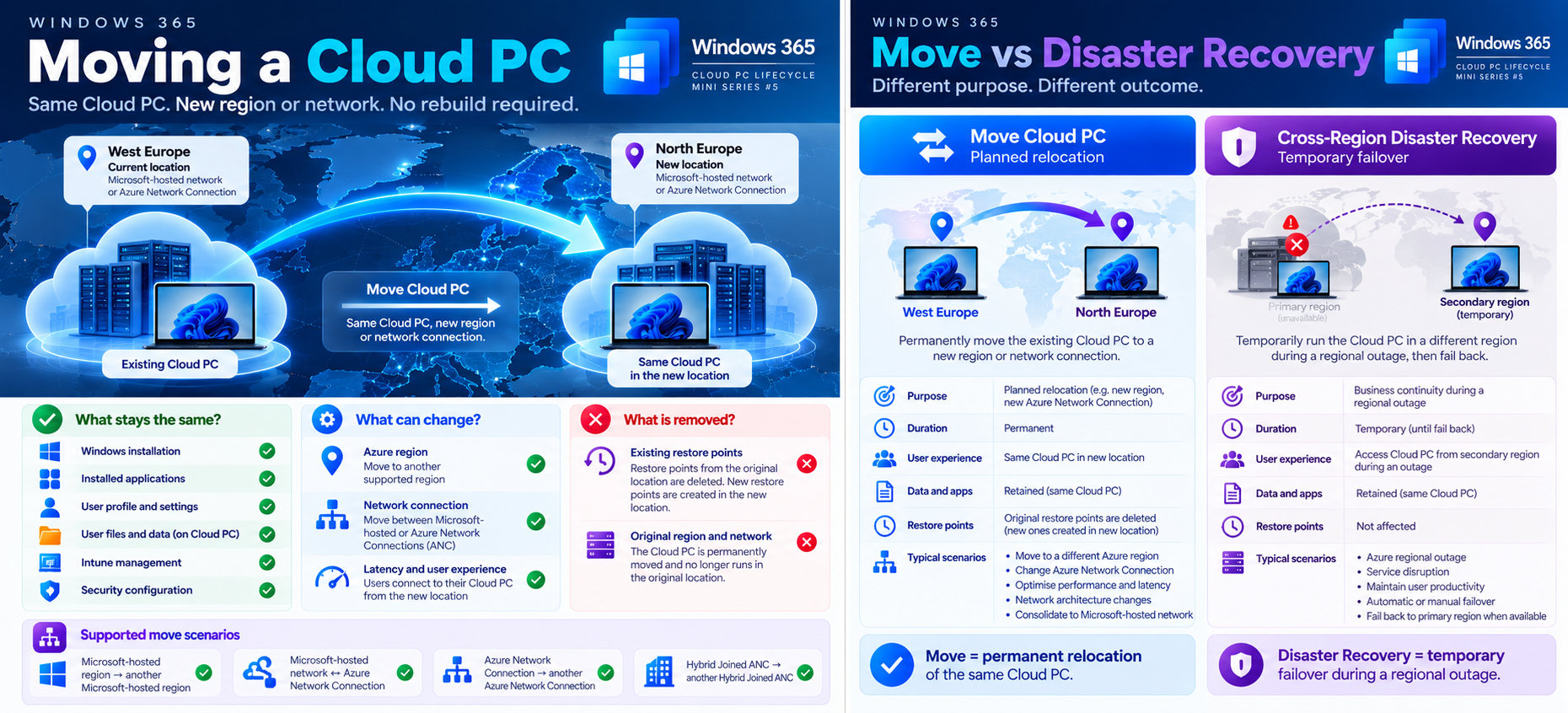
No. Windows 365 supports moving existing Cloud PCs between supported Azure regions and network configurations without reprovisioning.
But there is one important consequence:
existing restore points in the original region or network connection are deleted during the move.
1. What actually happens?
Imagine a user has a Cloud PC in West Europe, but their primary applications and data are now hosted closer to North Europe.
Windows 365 can move the existing Cloud PC to the new region.
Cloud PC — West Europe
↓
Move Cloud PC
↓
Cloud PC — North Europe
The user retains their existing Windows environment, applications, profile and local data.
The Cloud PC is temporarily unavailable while Windows 365 completes the move.
Insert the Moving Cloud PCs hero image here.
2. Watch it happen
This short video demonstrates how administrators move Windows 365 Cloud PCs between Microsoft-hosted regions and Azure Network Connections.
3. What can you move?
Windows 365 supports several move scenarios.
| From | To | Supported | ||
|---|---|---|---|---|
| Microsoft-hosted region | Another Microsoft-hosted region | ✅ | ||
| Azure Network Connection | Another ANC | ✅ | ||
| Microsoft-hosted network | Azure Network Connection | ✅ | ||
| Azure Network Connection | Microsoft-hosted network | ✅ | ||
| Hybrid Joined ANC | Another Hybrid Joined ANC | ✅ | ||
| Hybrid Joined ANC | Microsoft-hosted network | ❌ |
Important: You cannot use the Move operation to change a Cloud PC from Microsoft Entra hybrid joined to Microsoft Entra joined, or vice versa.
That requires a different migration approach.
4. What happens to Windows, applications and data?
| Component | After Move | |
|---|---|---|
| Windows installation | ✅ Retained | |
| Installed applications | ✅ Retained | |
| User profile | ✅ Retained | |
| Local files and data | ✅ Retained | |
| Intune management | ✅ Retained | |
| Device configuration | ✅ Retained | |
| Azure region | 🔄 Can change | |
| Network connection | 🔄 Can change | |
| Existing restore points | ❌ Deleted from original location |
Unlike Reprovision, Move doesn't create a fresh Windows environment.
However, the existing restore-point history isn't carried forward. New restore points are created in the destination environment according to Windows 365's restore-point schedule.
5. How do I move a Cloud PC?
In the Microsoft Intune admin center:
Devices → Windows 365 → Provisioning policies
Select the appropriate policy and edit its region or network connection configuration.
Save the updated policy.
Then select Apply this configuration and choose whether to move all eligible Cloud PCs or selected devices.
For selected-device moves, Microsoft supports up to 100 Cloud PCs per operation.
The Cloud PCs are shut down during the move and can remain unavailable for several hours.
Note: Editing the provisioning policy alone doesn't immediately move existing Cloud PCs. You must apply the updated configuration to them.
6. Fabs Solutions — What should you check first?
Network connectivity → If moving to a different ANC, validate DNS, routing, firewall rules, private application access and required Windows 365 service endpoints.
Hybrid Join → For Hybrid Joined Cloud PCs, the destination ANC must use the appropriate AD domain, with connectivity to the original domain.
Restore points → Understand that existing restore points are removed. Don't plan a move expecting to retain the ability to roll back to the original region's restore points.
User experience → Evaluate the location of the user, the Cloud PC and application data. Moving the Cloud PC closer to the user doesn't automatically improve every workload if its application backend remains elsewhere.
Downtime → Notify users, schedule a maintenance window and test with a small number of noncritical Cloud PCs before moving a large group.
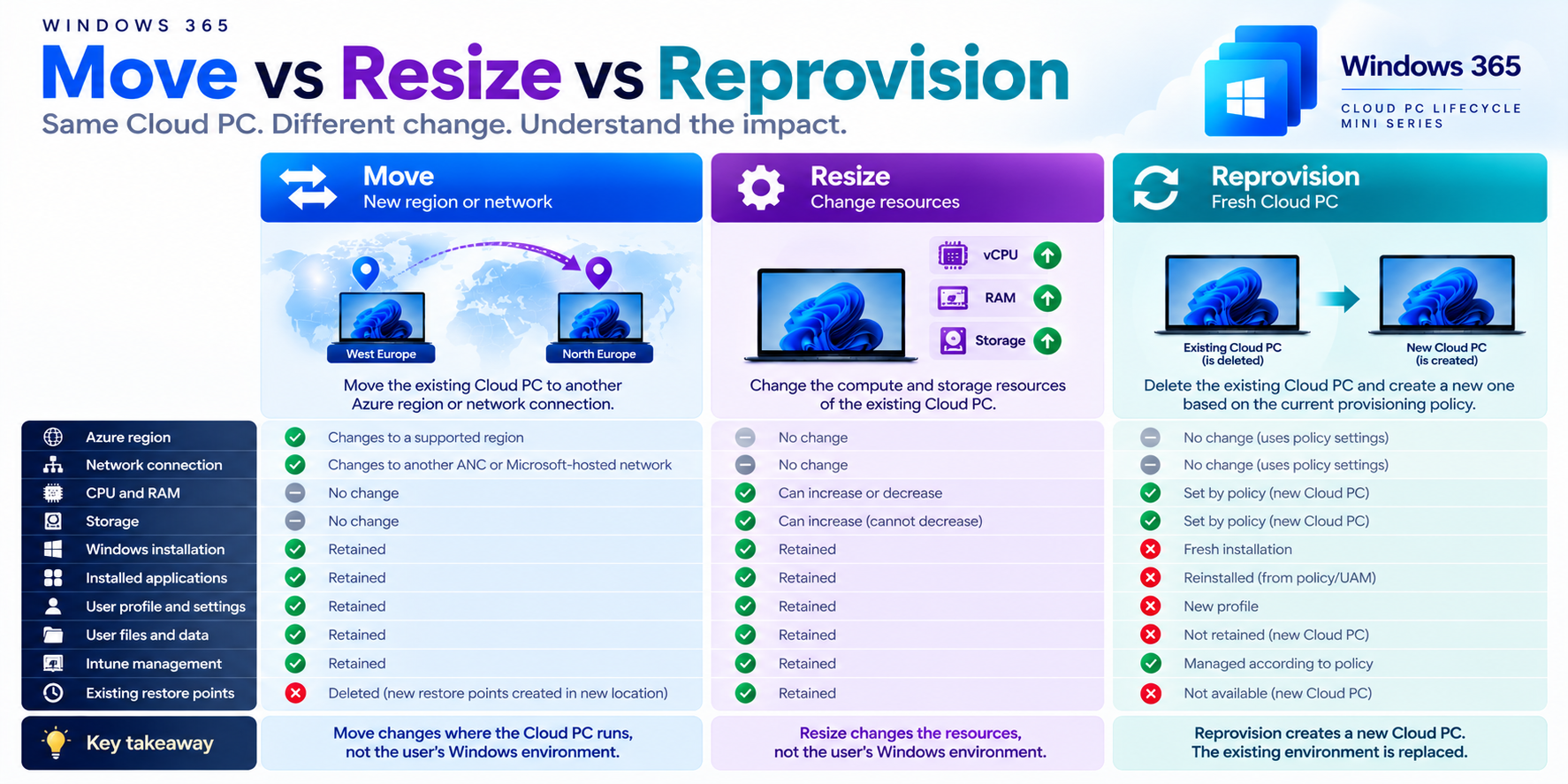
7. Move vs Resize vs Reprovision
| Operation | What changes? | Existing environment | ||
|---|---|---|---|---|
| Resize | CPU, RAM or storage | Retained | ||
| Move | Azure region or network connection | Retained | ||
| Reprovision | Entire Cloud PC rebuilt | Deleted and recreated |
Remember: Move changes where the Cloud PC runs, not the Windows environment the user works in.
One exception to the continuity of data is the restore-point history, which is removed from the original location.
Key takeaway
Windows 365 Move is useful for regional optimisation, network architecture changes and planned Cloud PC relocation.
You can retain the user's Windows environment without a destructive rebuild.
But always consider network prerequisites, user downtime and restore-point deletion before starting.
Microsoft documentation
Azure Network Connection overview
Optimise Cloud PC provisioning locations
Click Here To Return To Blog