Introduction
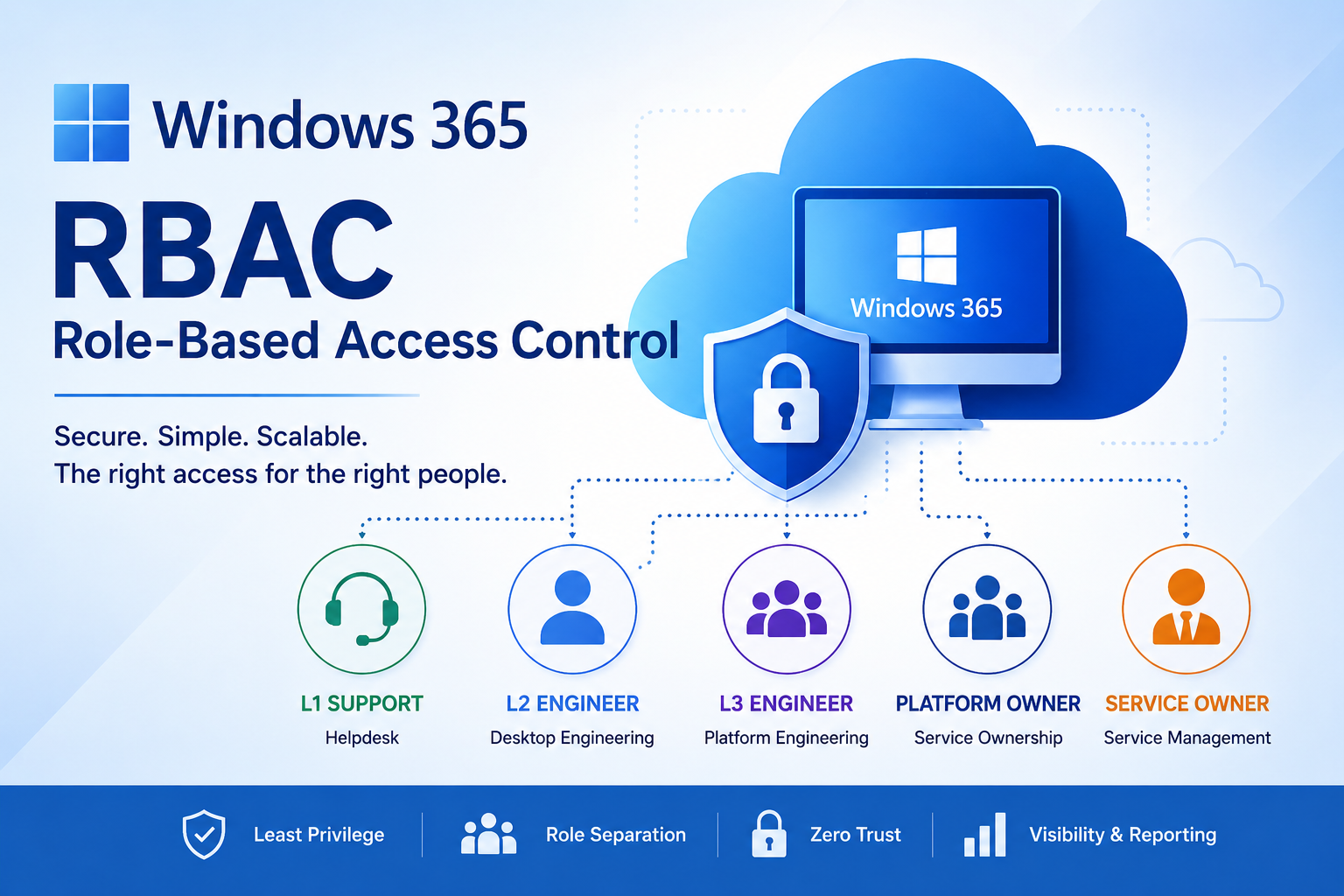
One of the biggest mistakes organisations make when deploying Windows 365 is assigning Global Administrator or Intune Administrator permissions to every support engineer.
While this may initially seem convenient, it significantly increases security risk and rarely aligns with the principle of least privilege.
Instead, organisations should implement a structured Role Based Access Control (RBAC) model that provides engineers only the permissions required for their role.
This article explains how to design a Windows 365 administration model suitable for organisations ranging from a few hundred Cloud PCs through to global enterprises.
Understanding Windows 365 Administration
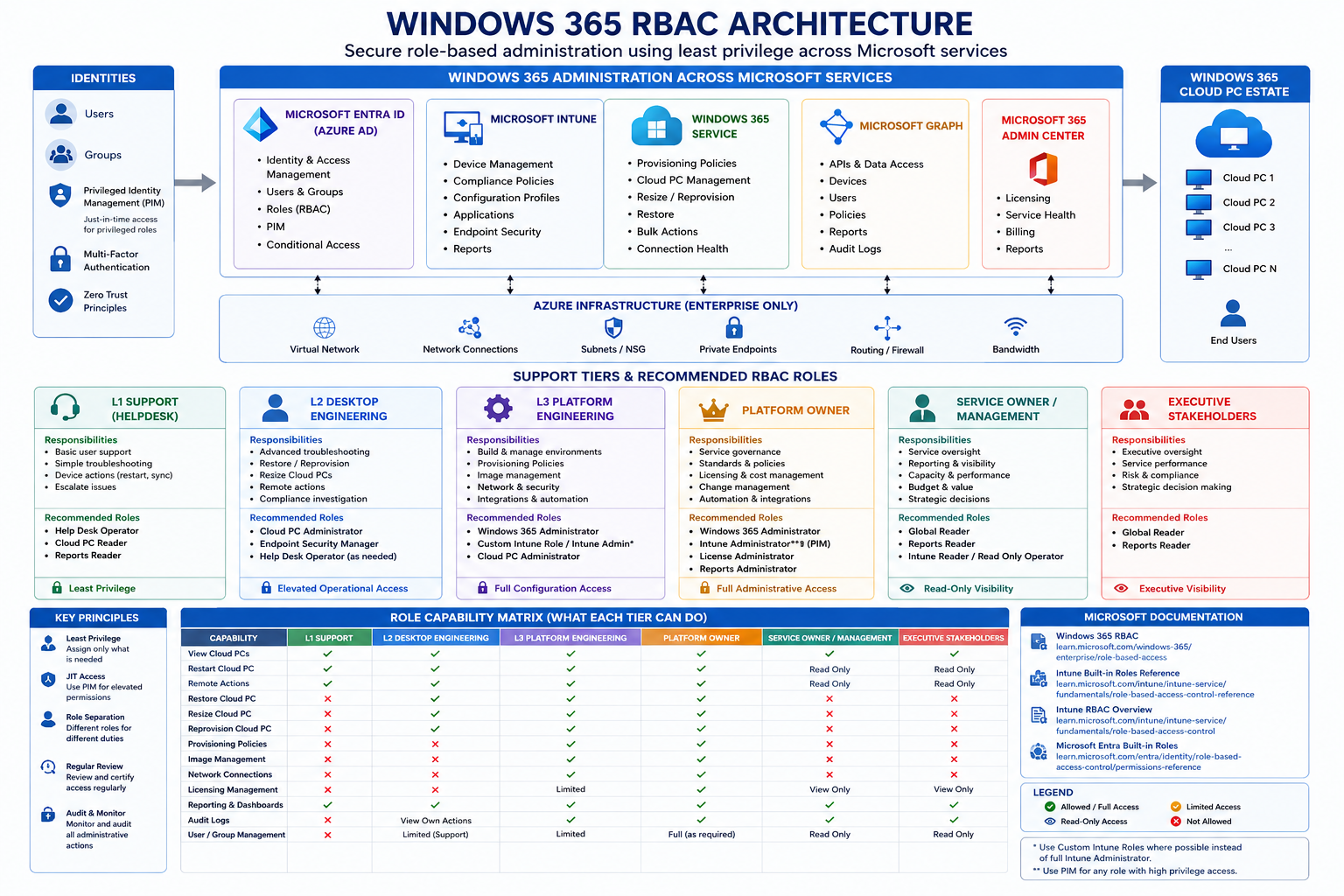
Unlike Azure Virtual Desktop, Windows 365 administration spans several Microsoft services:
- Microsoft Intune
- Microsoft Entra ID
- Windows 365
- Microsoft Graph
- Microsoft 365 Admin Center
Permissions therefore come from multiple RBAC systems.
Administrators should understand where responsibilities sit before assigning access.
| Platform | Controls | |
|---|---|---|
| Microsoft Intune | Cloud PCs, policies, applications | |
| Windows 365 | Provisioning, resize, reprovision, restore | |
| Microsoft Entra | User and group administration | |
| Microsoft 365 Admin Center | Licensing | |
| Azure | Networking (Enterprise only) |
Core Microsoft RBAC Documentation (must read)
| Topic | Microsoft Learn | |
|---|---|---|
| Intune Built-in Roles | Microsoft Intune Built-in Roles Reference | |
| Intune RBAC Overview | Role-Based Access Control (RBAC) with Microsoft Intune | |
| Windows 365 RBAC | Windows 365 Role-Based Access Control |
Recommended links for each support tier
L1 Support (Helpdesk)
Microsoft Roles
| Role | Why | Microsoft KB | |
|---|---|---|---|
| Help Desk Operator | Restart devices, remote actions, basic support | Help Desk Operator Role | |
| Cloud PC Reader | View Cloud PCs without modification | Cloud PC Reader | |
| Reports Reader | Reporting only | Microsoft Entra Built-in Roles (Reports Reader) |
L2 Desktop Engineering
| Role | Why | Microsoft KB | |
|---|---|---|---|
| Cloud PC Administrator | Restore, reprovision, resize Cloud PCs | Cloud PC Administrator | |
| Endpoint Security Manager | Security policies, Defender, compliance | Endpoint Security Manager Role | |
| Help Desk Operator | Device support actions | Help Desk Operator Permissions |
L3 Platform Engineering
| Role | Why | Microsoft KB |
|---|---|---|
| Windows 365 Administrator | Full Windows 365 administration | Windows 365 Administrator Role |
| Intune Administrator (only where justified) | Full Intune administration | Intune Administrator Guidance |
| Cloud PC Administrator | Cloud PC lifecycle | Cloud PC Administrator Role |
Platform Owner
| Role | Why | Microsoft KB |
|---|---|---|
| Windows 365 Administrator | Governance and service ownership | Windows 365 RBAC |
| License Administrator | Licensing | Microsoft Entra Built-in Roles |
| Reports Administrator | Operational reporting | Microsoft Entra Built-in Roles |
Service Owner
| Role | Why | Microsoft KB |
|---|---|---|
| Global Reader | Read-only tenant visibility | Microsoft Entra Built-in Roles |
| Reports Reader | Operational reporting | Microsoft Entra Built-in Roles |
| Intune Reader / Read Only Operator | View Intune configuration | Read Only Operator Role |
Executive Stakeholders
| Role | Why | Microsoft KB | ||
|---|---|---|---|---|
| Global Reader | Tenant-wide visibility | Microsoft Entra Built-in Roles | ||
| Reports Reader | Reporting dashboards | Microsoft Entra Built-in Roles |
Example Enterprise RBAC Matrix
| Activity | L1 | L2 | L3 | Platform Owner | Service Owner | |||||
|---|---|---|---|---|---|---|---|---|---|---|
| View Cloud PCs | ✓ | ✓ | ✓ |
| ✓ | ✓ | ||||
| Restart Cloud PC | ✓ | ✓ | ✓ |
| ✓ | Read Only | ||||
| Restore Cloud PC | ✗ | ✓ | ✓ |
| ✓ | ✗ | ||||
| Resize Cloud PC | ✗ | ✓ | ✓ |
| ✓ | ✗ | ||||
| Reprovision | ✗ | ✓ | ✓ |
| ✓ | ✗ | ||||
| Provisioning Policies | ✗ | ✗ | ✓ |
| ✓ | ✗ | ||||
| Image Management | ✗ | ✗ | ✓ |
| ✓ | ✗ | ||||
| Network Connections | ✗ | ✗ | ✓ |
| ✓ | ✗ | ||||
| Licensing | ✗ | ✗ | Limited |
| ✓ | View | ||||
| Reporting | ✓ | ✓ | ✓ |
| ✓ | ✓ |
Security Best Practices
Microsoft recommends following Zero Trust principles:
- Least privilege
- Just Enough Administration (JEA)
- Role separation
- Multi-factor authentication
- Privileged Identity Management (PIM)
- Regular RBAC reviews
- Remove standing Global Administrator access
How Nerdio Enhances Windows 365 RBAC
While Microsoft provides strong native RBAC, many organisations require more granular operational delegation.
Nerdio Manager extends administration by allowing organisations to assign access within the Nerdio platform itself, enabling delegated administration without granting broad Microsoft permissions to every operator.
Typical examples include:
- Helpdesk teams managing only specific customer tenants or business units.
- Regional IT teams administering only their own Windows 365 environments.
- Contractors receiving temporary access to defined operational tasks.
- MSPs delegating administration across multiple customers while maintaining strict separation.
For organisations already using Nerdio to manage Azure Virtual Desktop and Windows 365, this additional RBAC layer helps simplify day-to-day operations while maintaining security and governance.
Coming next: A dedicated article exploring Nerdio RBAC, delegated administration, custom roles, and how it complements Microsoft's native Windows 365 permission model.
Microsoft Native RBAC vs Nerdio RBAC
| Capability | Microsoft Native RBAC | Nerdio RBAC | |
|---|---|---|---|
| Built-in Microsoft roles | ✓ | ✓ (leverages Microsoft permissions) | |
| Custom operational roles | Limited | ✓ Extensive | |
| Delegate by customer/business unit | Limited | ✓ | |
| Delegate by operational task | Limited | ✓ | |
| Simplified helpdesk experience | Partial | ✓ | |
| Multi-tenant administration | Limited | ✓ | |
| Windows 365 management | ✓ | ✓ | |
| Azure Virtual Desktop management | Partial (Azure-based) | ✓ Unified | |
| Operational dashboards | Basic | ✓ Enhanced | |
| Automation permissions | Limited | ✓ Granular | |
| MSP-friendly administration | Limited | ✓ Excellent |
Key Takeaways
A well-designed RBAC strategy improves both security and operational efficiency. By mapping permissions to real-world support tiers—L1, L2, L3, Platform Owners, and Service Owners—you reduce unnecessary privilege while ensuring each team has the access they need.
Native Microsoft RBAC provides a strong foundation for Windows 365 administration. Organisations that require finer-grained delegation, simplified operations, or multi-tenant management can further enhance this model with Nerdio Manager's RBAC capabilities.
Click Here To Return To Blog