Fabs Solutions | Windows 365, Citrix & End-User Computing
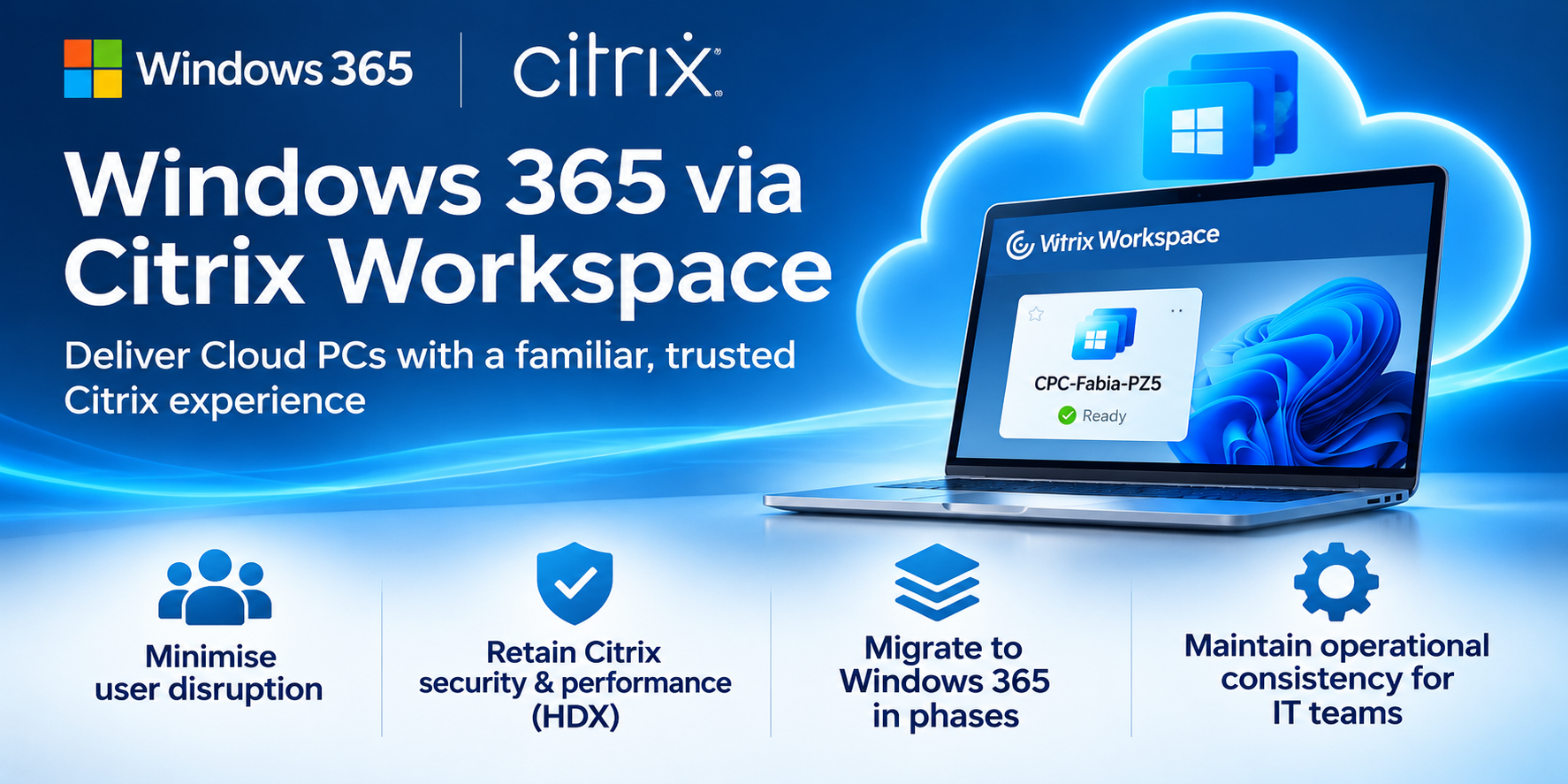
Keep the familiar Citrix experience while modernising the desktop platform.
Moving from Citrix to Windows 365 is more than a technology migration.
For organisations that have relied on Citrix for years, the challenge isn't simply provisioning Cloud PCs. It's maintaining user confidence, operational consistency and the security controls that IT teams already understand.
What if users could access their Windows 365 Cloud PCs directly through Citrix Workspace?
They can, using Citrix HDX Plus for Windows 365.
1. Why use Citrix Workspace for Windows 365?
For long-established Citrix customers, moving immediately to a different connection client can introduce unnecessary change.
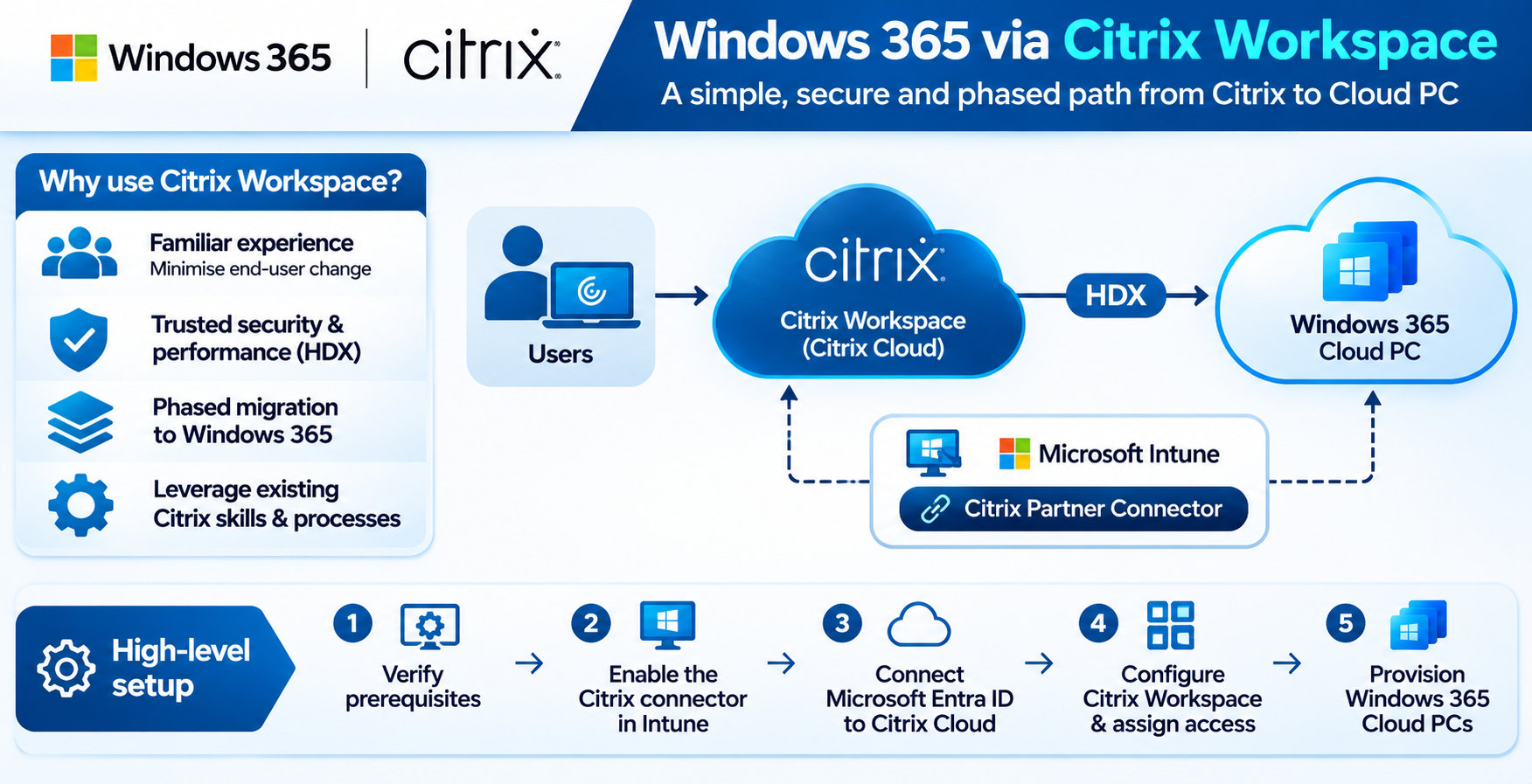
By integrating Citrix Workspace with Windows 365, organisations can:
- Reduce user disruption: Keep a familiar desktop launch experience.
- Retain Citrix HDX: Continue using Citrix's connection technology and supported HDX capabilities.
- Simplify support transitions: Allow existing Citrix support teams to build Windows 365 expertise progressively.
- Migrate in phases: Introduce Cloud PCs without simultaneously replacing the user's access experience.
This creates an opportunity to separate desktop platform migration from client experience migration.
2. What does the user experience look like?
Once configured, the Windows 365 Cloud PC appears as a desktop resource within Citrix Workspace.
Users can launch their Cloud PC through the familiar Citrix interface rather than switching immediately to Windows App.
Existing Citrix Workspace experience
↓
Windows 365 Cloud PC published
↓
Citrix HDX connection
↓
User accesses their Windows 365 desktop
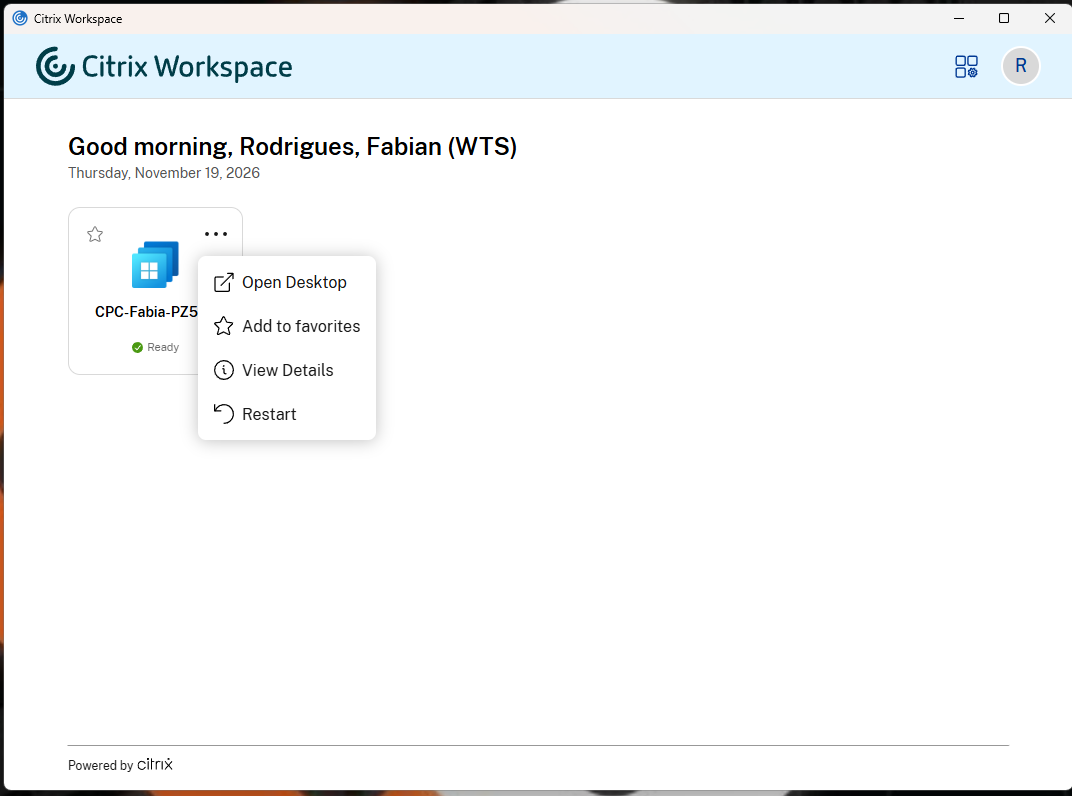
The underlying desktop is Windows 365, but Citrix provides the integrated access experience.
3. How does the integration work?
Microsoft provides a Windows 365 Citrix Partner Connector in Intune.
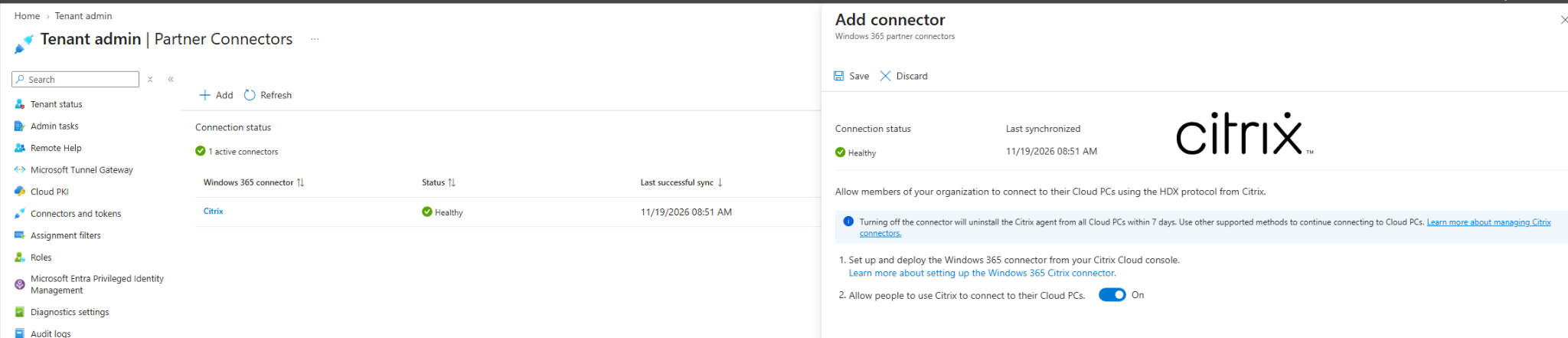
This enables integration between Windows 365 and Citrix Cloud, with Citrix HDX Plus providing the connection technology.
| Component | Responsibility | ||
|---|---|---|---|
| Windows 365 | Cloud PC provisioning and lifecycle | ||
| Microsoft Intune | Cloud PC management and partner connector | ||
| Citrix Cloud | Citrix integration and resource delivery | ||
| Citrix Workspace | User-facing access experience | ||
| Citrix HDX | Remote display and connection technology |
4. Watch the configuration
The integration requires configuration in both Microsoft Intune and Citrix Cloud.
Microsoft's setup documentation identifies these main activities:
- Confirm the Windows 365 and Citrix prerequisites.
- Enable the Citrix Partner Connector in Intune.
- Connect Microsoft Entra ID to Citrix Cloud.
- Configure Citrix Workspace and Windows 365 integration.
- Assign the required Citrix licensing and provision Cloud PCs.
For the detailed procedure, follow the official Microsoft and Citrix guides below.
5. What should organisations consider?
- Licensing - Windows 365 and Citrix HDX Plus have separate licensing requirements. Confirm the appropriate entitlements before designing the solution.
- Security - Validate Microsoft Entra ID, Conditional Access, Citrix access policies, endpoint security and session controls. Existing Citrix security policies should not be assumed to transfer automatically.
- Performance - Citrix HDX offers a familiar connection technology, but performance must still be validated against application requirements, user locations and network conditions.
- Operational support - Windows 365 remains managed through Microsoft's Cloud PC management platform. Citrix introduces an additional integration and connection layer that support teams must understand.
- Long-term strategy - Citrix Workspace can support a phased migration, but organisations should periodically reassess whether continuing to use Citrix HDX or adopting Windows App better meets their future requirements.
6. Fabs Solutions recommendation
For organisations moving from established Citrix environments to Windows 365, I recommend evaluating Citrix HDX Plus as a transition option.
A phased approach could look like this:
Phase 1 — Introduce Windows 365
Provision Cloud PCs while retaining Citrix Workspace as the familiar user access experience.
Phase 2 — Validate and optimise
Assess user experience, security, HDX performance, application compatibility and operational support.
Phase 3 — Evaluate the long-term client strategy
Compare Citrix Workspace against Windows App, including performance, functionality, licensing and ongoing management requirements.
The objective isn't necessarily to retain Citrix indefinitely.
It's to modernise the desktop without introducing unnecessary change at the same time.
Key takeaway
Windows 365 changes where the desktop is delivered from. Citrix Workspace allows organisations to preserve a familiar way of accessing it.
For existing Citrix customers, this can be a practical route towards a more gradual Windows 365 migration.
Official documentation
Microsoft Learn — Set up Citrix HDX Plus for Windows 365
Citrix documentation — Citrix HDX Plus for Windows 365
Click Here To Return To Blog