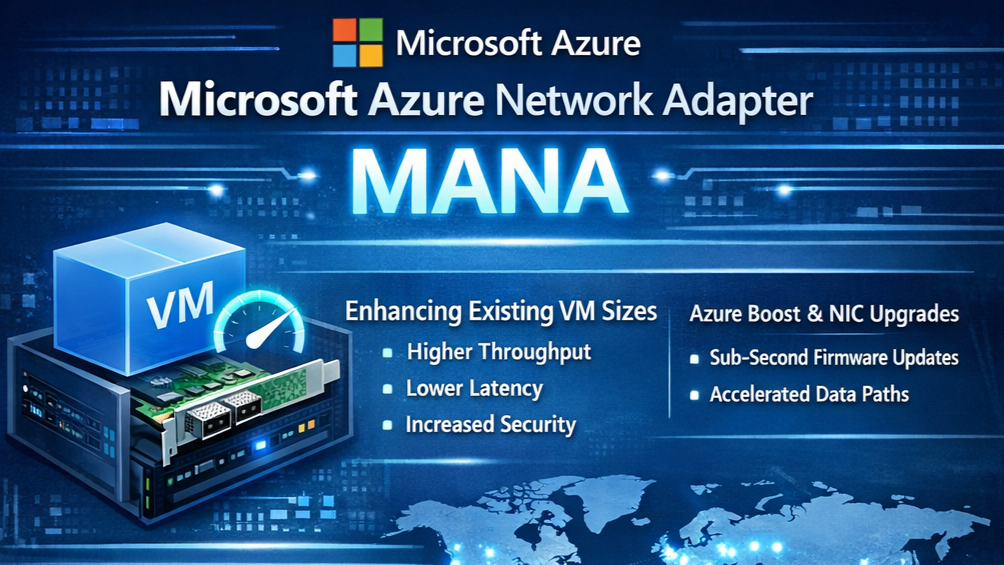
Microsoft has begun rolling out Microsoft Azure Network Adapter (MANA) hardware across Azure datacentres, bringing a new generation of networking performance to supported virtual machines.
For most Azure Virtual Desktop (AVD) and Windows 365 customers, this transition will happen automatically with little or no impact. However, organisations running Network Virtual Appliances (NVAs) or specialised networking workloads should review their environments to ensure operating system compatibility before the rollout reaches their Azure regions.
In this article, we'll explain what MANA is, why Microsoft is introducing it, how it affects Azure Virtual Desktop, and what actions administrators should take.
What is Microsoft Azure Network Adapter (MANA)?
Microsoft Azure Network Adapter (MANA) is Microsoft's next-generation network interface for Azure virtual machines.
It is designed to improve:
- Higher networking throughput
- Lower latency
- Better scalability
- Improved CPU efficiency
- Enhanced performance for demanding network workloads
MANA represents the next evolution of Azure networking and will gradually replace the existing Mellanox networking hardware used by many Azure VM families.
Which VM Series Are Affected?
Microsoft is enabling MANA hardware for the following VM families:
Intel v5 Series
- Dsv5
- Dv5
- Ddsv5
- Ddv5
- Dlsv5
- Dldsv5
- Esv5
- Ev5
- Edsv5
- Edv5
Cobalt 100 (Arm64)
- Dpsv6
- Dpdsv6
- Dplsv6
- Dpldsv6
- Epsv6
- Epdsv6
Many Azure Virtual Desktop environments deployed over the last few years use Dsv5 or Esv5 VM sizes, making this announcement highly relevant.
Rollout Schedule
Microsoft has announced the following rollout timeline:
| Date | Regions |
|---|---|
| 29 June 2026 | UK South, US Central, East US |
| 30 June 2026 | North Central US, South Central US, West Europe |
| 6 July 2026 | Remaining public Azure regions |
Once MANA-enabled hardware becomes available in your region, new VM deployments or redeployments may be placed onto this new hardware platform.
Does This Impact Azure Virtual Desktop?
For most Azure Virtual Desktop environments, the answer is:
Probably not.
Standard AVD session hosts running supported versions of Windows 11 Enterprise multi-session or Windows Server will continue operating normally.
Microsoft expects these workloads to function without any noticeable performance degradation.
Who Should Pay Attention?
This announcement primarily affects organisations running:
- Network Virtual Appliances (NVAs)
- Firewall appliances
- SD-WAN virtual appliances
- High packet-processing workloads
- Custom networking appliances
Examples include:
- Palo Alto VM-Series
- Fortinet FortiGate VM
- Cisco Secure Firewall
- Check Point CloudGuard
- F5 BIG-IP
- Other third-party virtual networking appliances
If your AVD environment routes traffic through one of these appliances, you should verify compatibility with your vendor.
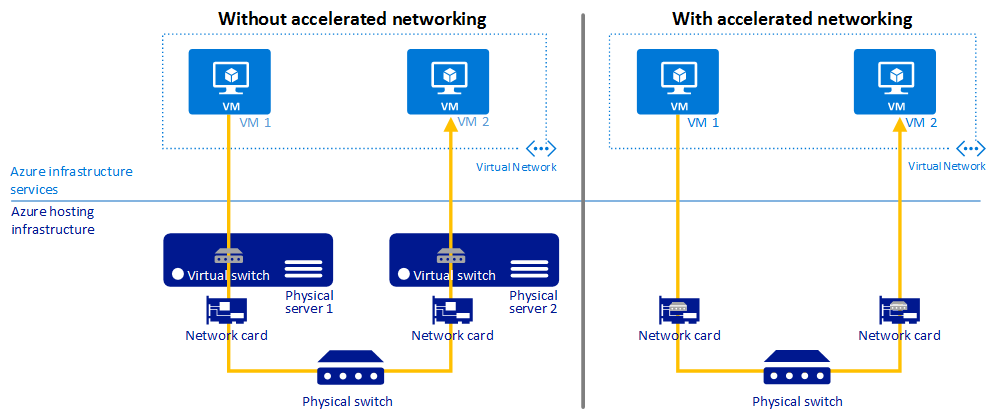
What About Accelerated Networking?
If your virtual machines use Accelerated Networking, Azure may move them onto MANA-enabled hardware during:
- Host maintenance
- VM redeployment
- New VM creation
- Host pool expansion
If your operating system or virtual appliance does not support MANA, networking performance could be affected.
Impact on Nerdio Customers
Nerdio customers should review:
- Image Templates
- VM deployment templates
- Host pool VM sizes
- Azure Capacity Extender fallback VM sizes
- Network Virtual Appliances
- Custom marketplace images
This is also an excellent opportunity to validate image lifecycle management before deploying new session hosts.
How to Check Your Environment
Start by identifying:
- Intel Dsv5 / Esv5 hosts
- Cobalt v6 hosts
- Accelerated Networking enabled VMs
- Any virtual firewall or NVA workloads
If these workloads exist, verify that your operating system and appliance vendor support Microsoft Azure Network Adapter.
Temporary Exception
If additional testing time is required, Microsoft allows organisations running NVA workloads to temporarily remain on legacy networking hardware by applying the Azure tag:
LegacyVMNVA
This exception is valid until 31 May 2027, after which Microsoft expects workloads to support MANA.
Best Practices for AVD Administrators
We recommend the following:
✅ Review host pool VM sizes
✅ Validate image templates
✅ Confirm operating system versions are supported
✅ Test new host deployments before production rollout
✅ Verify any network virtual appliances
✅ Update internal deployment documentation
FABS Solutions Insight
For most Azure Virtual Desktop customers, this is not a migration project.
Instead, treat it as a platform validation exercise.
If you are running standard Windows session hosts, Microsoft expects no action to be required.
However, organisations with complex networking architectures, third-party firewalls, or virtual appliances should complete compatibility testing before MANA reaches their production regions.
Final Thoughts
Microsoft Azure Network Adapter is another step towards improving Azure infrastructure performance and scalability.
While most Azure Virtual Desktop environments will transition seamlessly, now is the perfect opportunity to review:
- Host pool designs
- Image management
- Network architecture
- Vendor compatibility
By validating your environment now, you can ensure a smooth transition as Microsoft completes the global MANA rollout.
Reference KBs
Microsoft Azure Network Adapter overview
Click Here To Return To Blog