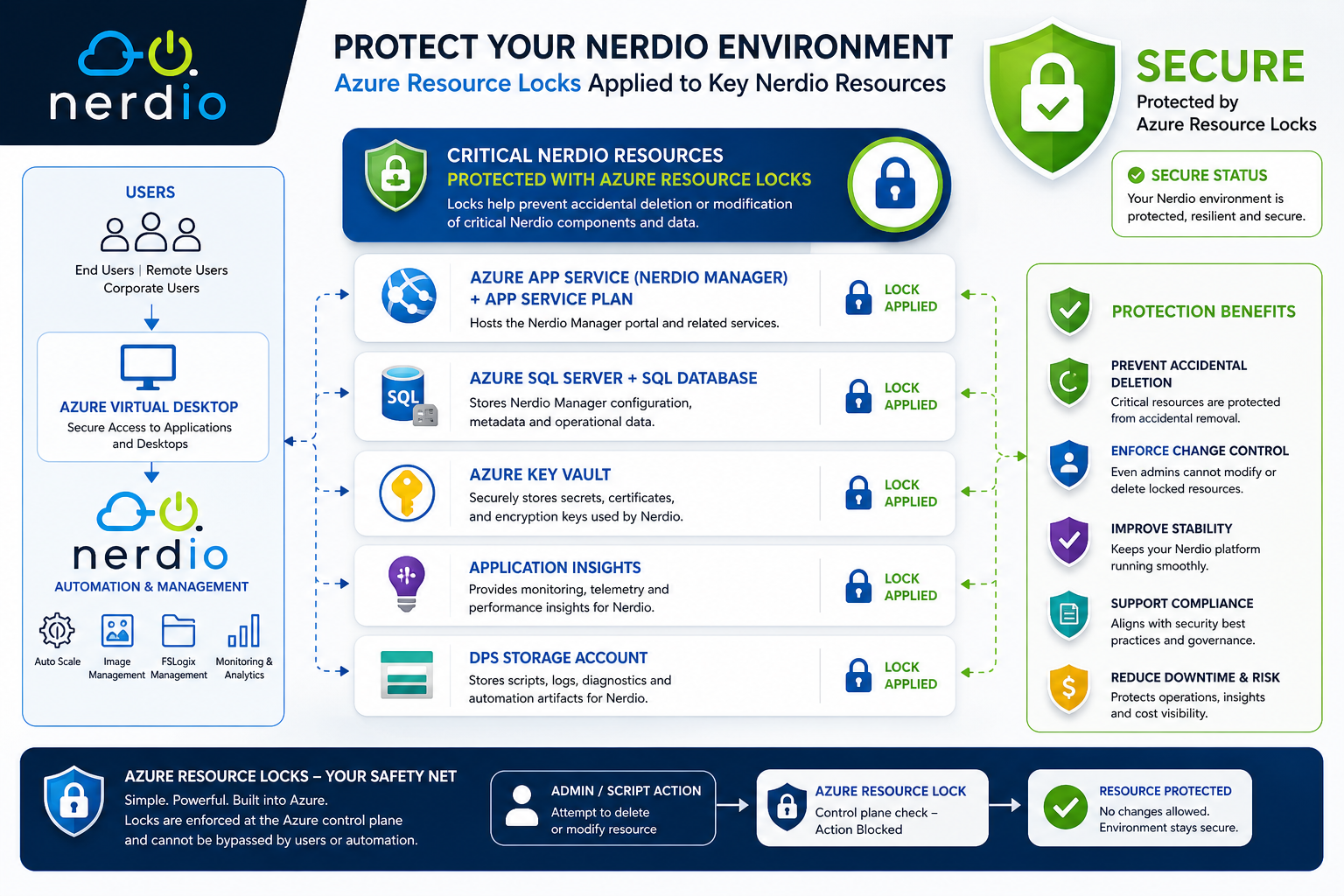
Preventing Critical Failures in Your Control Plane
When designing Azure Virtual Desktop with Nerdio, most teams focus on:
- Autoscale
- FSLogix
- Performance
- Cost optimisation
But one of the biggest risks is often ignored:
👉 Your Nerdio control plane is just Azure resources… and can be deleted or modified
This includes:
- App Services
- SQL Databases
- Storage Accounts
- Insights platforms (Intune, Real-Time, Cost Attribution)
🧠 Why This Matters
If any of these components are modified or deleted:
- ❌ Nerdio portal may become unavailable
- ❌ Automation fails (autoscale, scripts)
- ❌ Insights stop working
- ❌ Cost attribution breaks
- ❌ User experience degrades
👉 In many cases, recovery is not instant
🧱 Critical Nerdio Resources to Protect
You should apply Azure Locks to:
Core Nerdio Platform Components
- Azure App Service (Nerdio Manager) + App Service Plan
- Azure SQL Server + SQL Database
- Key Vault
- Application Insights
- DPS Storage Account
Azure App Service + App Service Plan
- Nerdio upgrades update the application code deployed into the App Service, but the resource itself is never deleted or recreated during an upgrade. A Delete lock won't interfere.
SQL Server & SQL Database
- Nerdio reads/writes data to the database continuously, but upgrades don't drop and recreate the SQL resources. The lock only blocks deletion, not data operations.
Key Vault
- Nerdio retrieves secrets and certificates from Key Vault. It doesn't need to delete the vault or its resources during automation. A Delete lock is safe here.
Application Insights
- Ipurely a telemetry/logging sink. Nerdio writes logs to it; it has no need to delete it during any automation.
DPS Storage Account
- Used for storing NME configuration data, scripted actions, and similar assets. Again, Nerdio reads/writes objects within it, but the storage account resource itself is never deleted as part of Nerdio operations.
See references section for my Azure Runbook Script
🔐 What Azure Locks Do
Azure Locks enforce protection at the control plane:
🔒 Delete Lock
- Prevents deletion
- Allows modification
🛡️ Read-Only Lock
- Prevents:
- Deletion
- Modification
👉 Even users with Owner role cannot bypass locks without removing them
🎯 FABS Recommendation
Apply:
- 🔒 Delete Locks → Default for most resources
- 🛡️ Read-Only Locks → For highly critical components
🧠 FABS Insight
👉 The biggest outages in AVD are not technical failures…
👉 They are accidental changes
Azure Locks are one of the simplest ways to:
- Prevent outages
- Protect critical systems
- Improve operational maturity
🏁 Final Thoughts
Nerdio simplifies AVD operations — but the underlying platform is still Azure.
That means:
👉 You are responsible for protecting the control plane
See references section for my Azure Runbook Script
Azure Locks give you:
- Immediate protection
- Zero cost
- Massive risk reduction
🔗 Reference
Click Here To Return To Blog