If you last evaluated Nerdio a year or two ago, it may be time to take another look.
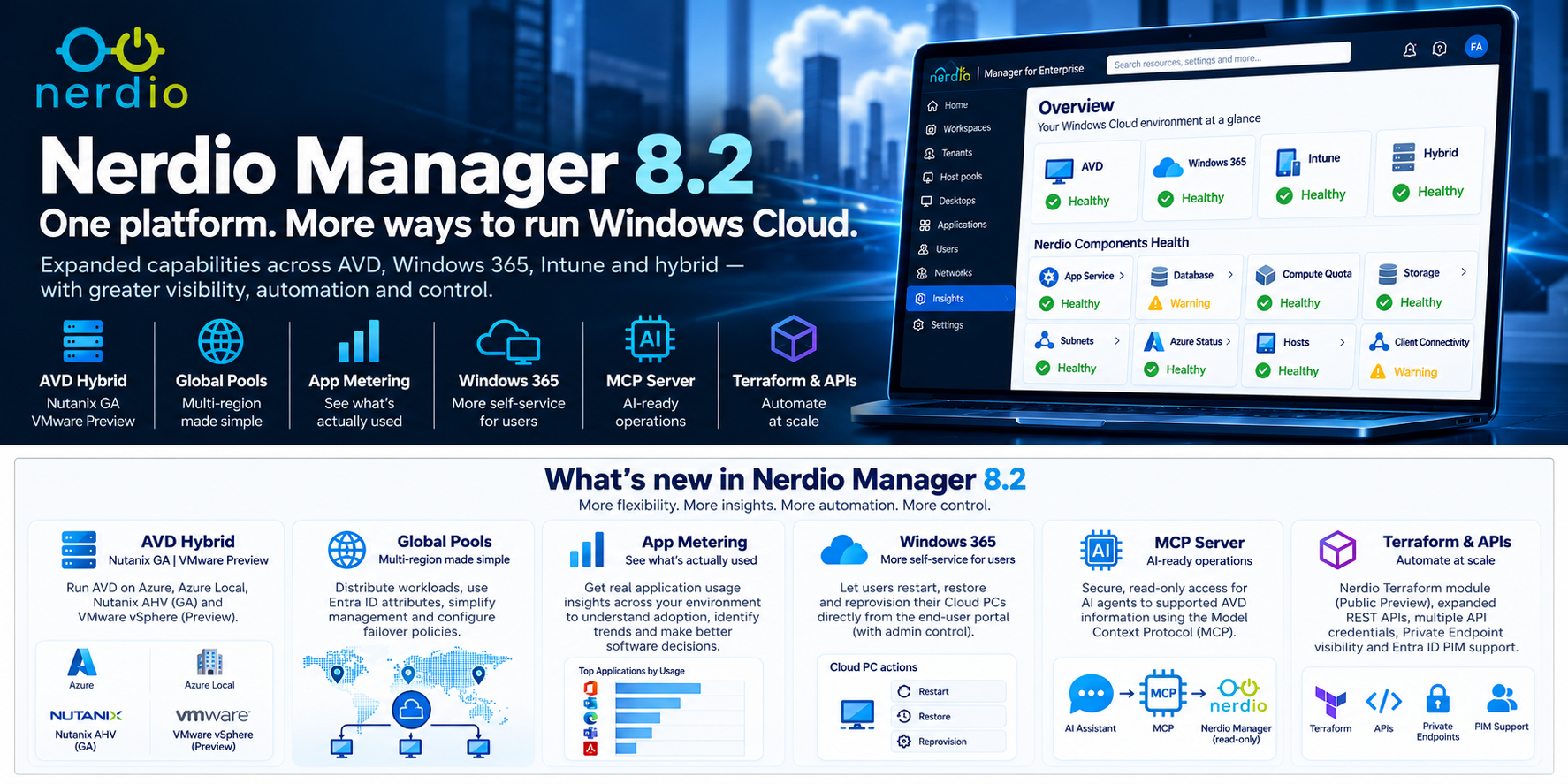
On 29 September 2026, Nerdio released Nerdio Manager for Enterprise 8.2, continuing the platform's expansion beyond its traditional Azure Virtual Desktop management roots.
For business leaders, architects and technology stakeholders, the significance of 8.2 isn't any single feature.
It's how much broader the Nerdio proposition has become.
Organisations increasingly need to manage a mixture of Azure Virtual Desktop, Windows 365, Microsoft Intune and hybrid infrastructure, while simultaneously improving automation, reducing operational complexity and preparing for a future where AI and Infrastructure as Code play a larger role in IT operations.
Nerdio Manager 8.2 addresses all of these areas.
Here are six developments I think are particularly worth understanding.
1. AVD Doesn't Have to Run Only in Azure
Perhaps the biggest strategic change is the continued expansion of AVD Hybrid.
With Nerdio Manager 8.2, support for Nutanix AHV is now generally available, while VMware vSphere support is in Preview.
Why is this significant?
Azure Virtual Desktop has traditionally been associated with session-host compute running within Microsoft Azure.
That model is changing.
The architecture conversation can increasingly include:
Microsoft AVD control plane
↓
Microsoft Azure
Azure Local
Nutanix AHV
VMware vSphere – Preview
Nerdio then provides a management and automation layer across these deployment models.
For organisations with substantial existing datacentre investments, this potentially creates a more flexible modernisation path.
Rather than approaching desktop transformation as an immediate "move everything to Azure" decision, organisations can consider where individual workloads should run while still moving towards the AVD operating model.
Nerdio 8.2 also introduces Real-Time Insights for Nutanix host pools, faster session-host deployment and additional bulk-management capabilities.
Why it matters:
AVD is increasingly becoming a platform architecture rather than simply an Azure hosting decision.
2. Global Pools Simplifies Large AVD Estates
As AVD adoption grows, organisations can quickly move from managing a few host pools to operating many host pools across different locations and workloads.
Global Pools, currently in Public Preview, provides an orchestration layer above those individual AVD host pools.
Nerdio Manager 8.2 expands Global Pools with capabilities including:
- Percentage-based workload distribution
- Entra ID attribute-based assignments
- Multiple Entra ID groups
- Bulk host-pool creation
- Consolidated assignment and failover policies
Think of the traditional model as:
User → Group → Host Pool
Global Pools enables a higher-level model:
Users / Groups / Attributes
↓
Global Pool
↓
Placement & Failover Policy
↓
Host Pools / Locations
For a multinational organisation operating AVD across several Azure regions, that has obvious potential.
Instead of treating each host pool as an isolated environment, administrators can begin managing distributed AVD capacity as a larger logical service.
Why it matters:
As AVD scales geographically, Nerdio is focusing on preventing operational complexity from scaling with it.
3. App Metering Shows What People Actually Use
Nerdio Manager 8.2 introduces App Metering for Intune Insights, currently in Public Preview.
This sounds relatively simple, but I think it has considerable value.
Most organisations can identify which applications are installed.
A much harder question is: Which applications are actually being used?
That distinction becomes particularly important during desktop transformation.
Consider an organisation migrating from Citrix into AVD or Windows 365.
Instead of:
500 installed applications → migrate 500 applications
the conversation becomes:
Application inventory
↓
Actual usage
↓
User population
↓
Business requirement
↓
Retain / Replace / Retire
Application usage data can also help identify potential software rationalisation and licence-reclamation opportunities.
Why it matters:
Better application data can reduce migration complexity and potentially reduce software costs.
4. Windows 365 Users Get More Self-Service
Nerdio's Windows 365 capabilities also continue to mature.
With 8.2, administrators can allow users to perform common Cloud PC lifecycle operations through the Nerdio end-user portal.
Depending on the permissions provided by IT, users can:
- Restart
- Restore
- Reprovision
This may sound like a relatively small feature, but consider how often routine desktop problems become service-desk tickets.
Providing carefully controlled self-service can help users resolve straightforward problems without waiting for IT intervention.
Importantly, administrators remain responsible for determining which self-service actions are available.
That balance between user autonomy and IT governance is important.
Why it matters:
The objective isn't simply more functionality — it's reducing avoidable operational workload.
5. Nerdio Is Preparing for AI-Driven IT Operations
One of the most forward-looking additions in 8.2 is the Nerdio Manager MCP Server, currently in Public Preview.
MCP — Model Context Protocol — provides a standardised way for compatible AI systems to interact with external tools and information.
The initial Nerdio implementation is deliberately opt-in and read-only, providing supported Azure Virtual Desktop information while continuing to respect existing permissions and governance.
Conceptually, this creates an architecture such as:
Administrator
↓
AI Assistant
↓
MCP
↓
Nerdio Manager
↓
AVD operational information
The important word today is read-only.
This isn't about handing control of the AVD estate to an autonomous AI agent.
It establishes the foundations through which AI systems can securely access operational context.
Why it matters:
Nerdio is beginning to prepare its management platform for a future where administrators interact with infrastructure through both traditional interfaces and AI assistants.
6. Nerdio Is Becoming More Automation-Friendly
AI isn't the only area where Nerdio is expanding.
NME 8.2 introduces a Nerdio Terraform module for supported AVD resources in Public Preview, alongside expanded REST API capabilities.
It also adds:
- Entra ID PIM support for Nerdio Manager roles
- Multiple REST API credentials
- Improved Private Endpoint visibility
This is significant for enterprise organisations with established cloud-platform and DevOps practices.
Nerdio doesn't have to exist solely as another administrative portal.
Increasingly, the operating model can become:
Nerdio Portal
Automation
REST APIs
Terraform / Infrastructure as Code
AI / MCP
For platform-engineering teams, that makes Nerdio considerably more interesting.
Why it matters:
Nerdio is evolving from a graphical AVD management tool towards an extensible Windows Cloud operations platform.
The Bigger Picture
Taken individually, each of these features is useful.
Taken together, they tell a more interesting story.
If your previous understanding of Nerdio was:
"A tool that makes Azure Virtual Desktop easier to manage and autoscale."
that description is becoming increasingly incomplete.
The direction is now closer to:
Windows Cloud Management
↓
Azure Virtual Desktop
Windows 365
Microsoft Intune
AVD Hybrid
↓
Azure | Azure Local | Nutanix | VMware
↓
Automation | Insights | Self-Service | APIs | Terraform | AI
This doesn't mean every organisation needs every capability.
It does mean that organisations reviewing their EUC, Citrix, AVD, Windows 365 or wider Windows Cloud strategy should probably evaluate Nerdio based on what the platform is today, rather than what they remember from several years ago.
Final Thoughts
For me, Nerdio Manager 8.2 isn't primarily interesting because of another list of new features.
It's interesting because it demonstrates how the platform is evolving.
Nerdio is moving beyond simply helping administrators operate Azure Virtual Desktop.
It is increasingly addressing the broader questions enterprises face:
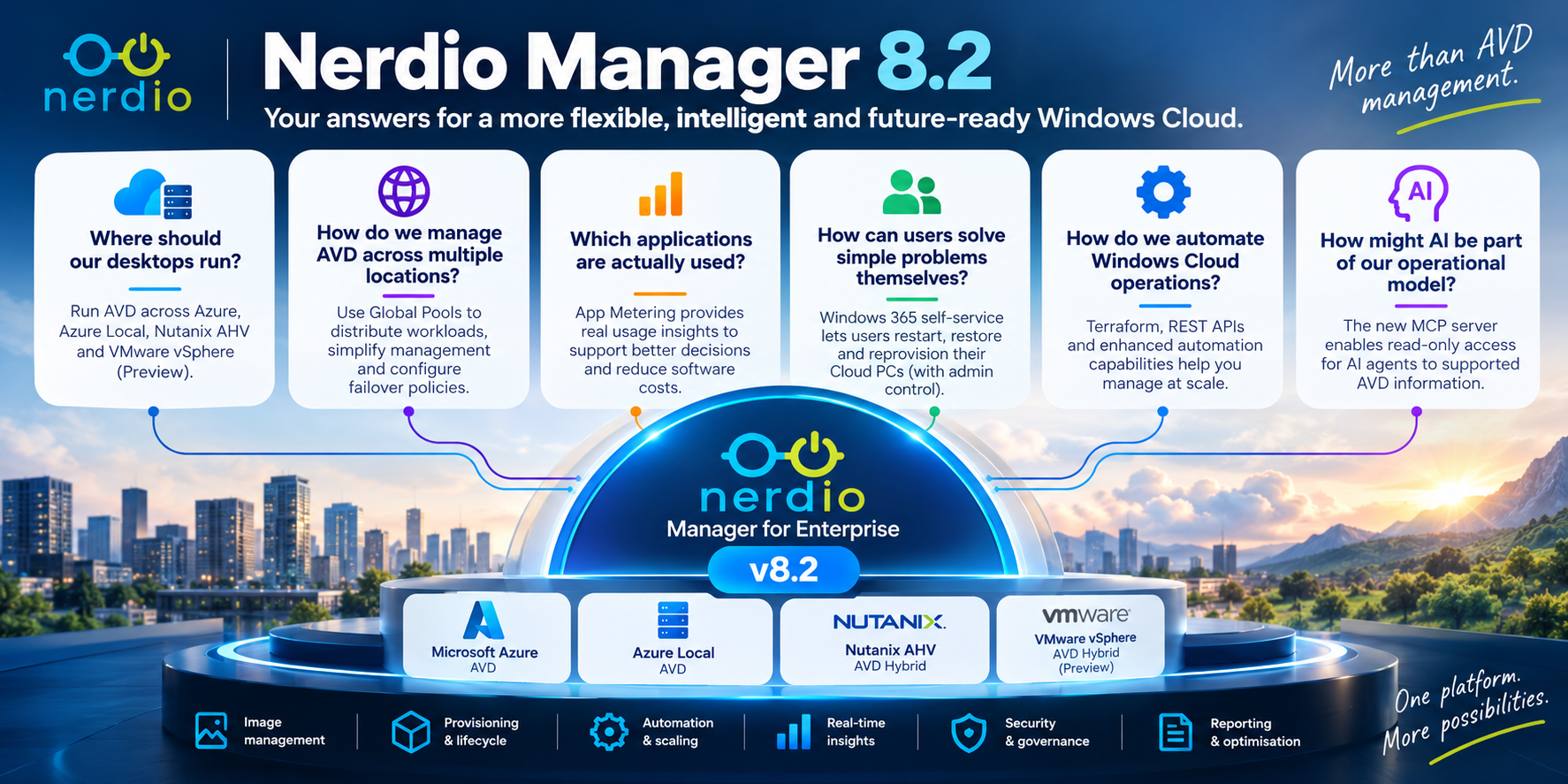
- Where should our desktops run?
- How do we manage AVD across multiple locations?
- Which applications are actually being used?
- How can users solve simple problems themselves?
- How do we automate Windows Cloud operations?
- And how might AI become part of that operational model?
For organisations that evaluated Nerdio before 2026 — particularly those that still associate it primarily with AVD autoscaling and cost optimisation — Nerdio Manager 8.2 is a good reason to take another look.
Further Reading
Nerdio Manager for Enterprise 8.2 – Release Overview
Nerdio Manager for Enterprise – Release Notes
Nerdio Manager Intune App Metering
Nerdio Manager W365 Self Service Portal
Nerdio Manager Global Pools
Nerdio Manager Hybrid on Nutanix
For organisations specifically exploring hybrid desktop strategies, I would also recommend reviewing Nerdio's current AVD Hybrid documentation and Microsoft's Azure Virtual Desktop documentation before making architectural decisions.
Feature status matters: Nutanix AVD Hybrid and Windows 365 self-service are generally available in 8.2. Global Pools, App Metering, MCP Server and the Nerdio Terraform module include Public Preview capabilities, while VMware vSphere AVD Hybrid support is currently Preview. Preview functionality should be evaluated accordingly before production adoption.
Click Here To Return To Blog