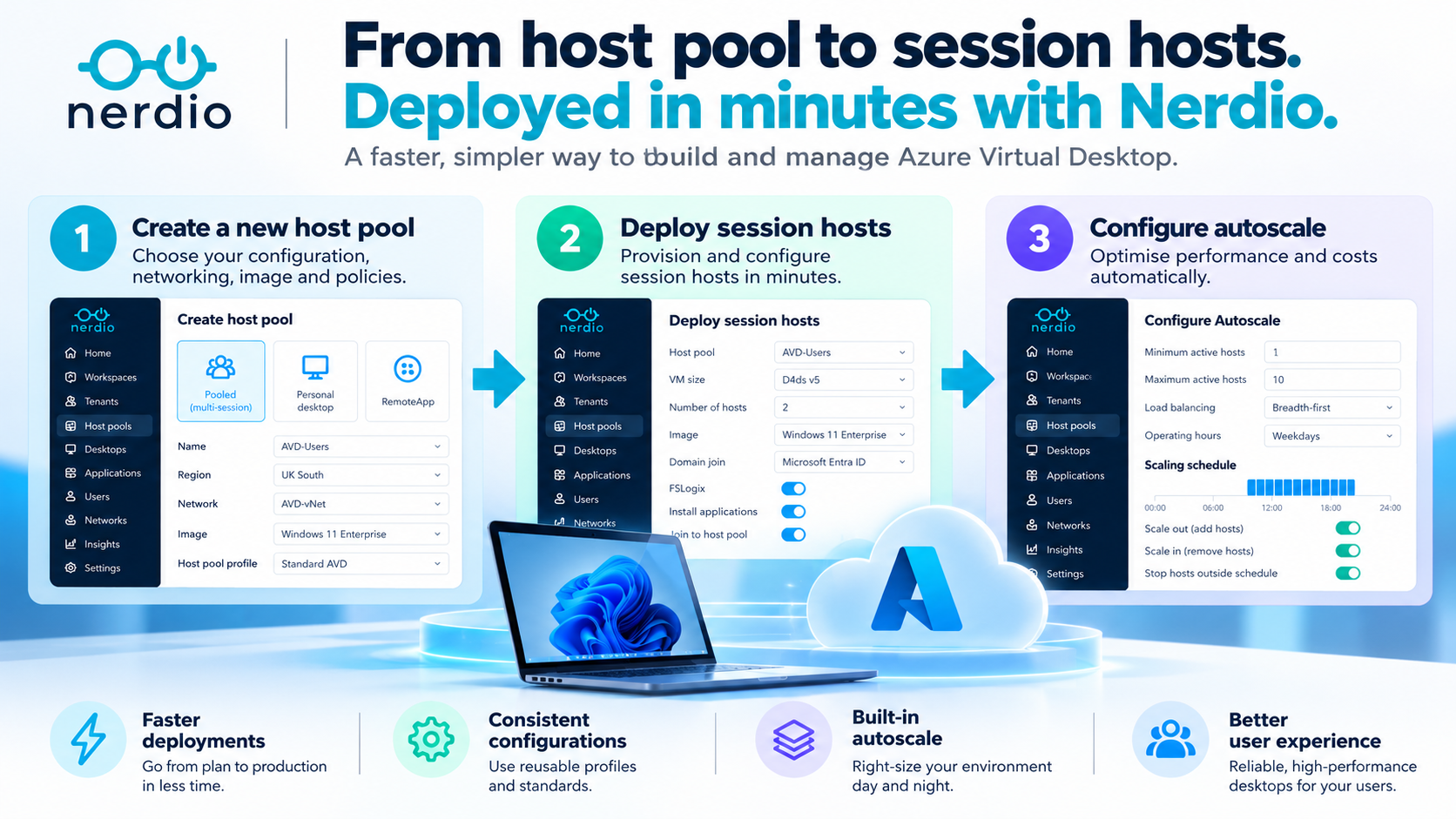
Creating an Azure Virtual Desktop environment involves much more than deploying a virtual machine. But does it need to be complicated?
Azure Virtual Desktop (AVD) is a powerful desktop and application virtualisation platform. However, building an environment involves several interconnected decisions, from host pool configuration and networking to session host deployment, user access, load balancing and autoscaling.
For experienced Azure administrators, these tasks are familiar. For organisations deploying multiple host pools, supporting different user personas or managing environments across several Azure regions, the operational effort can quickly increase.
This is where Nerdio Manager for Enterprise (NME) demonstrates its value.
Nerdio simplifies the process of creating an AVD host pool, deploying session hosts and configuring the policies that determine how the environment operates.
Rather than treating each component as a separate administrative activity, Nerdio brings the workflow together through a central management platform.
In this article, we'll look at two practical demonstrations:
- Creating and configuring a new Azure Virtual Desktop host pool.
- Deploying a session host and preparing the environment for users.
We'll also explore why configuring Nerdio Autoscale from the outset is an important part of building an efficient AVD environment.
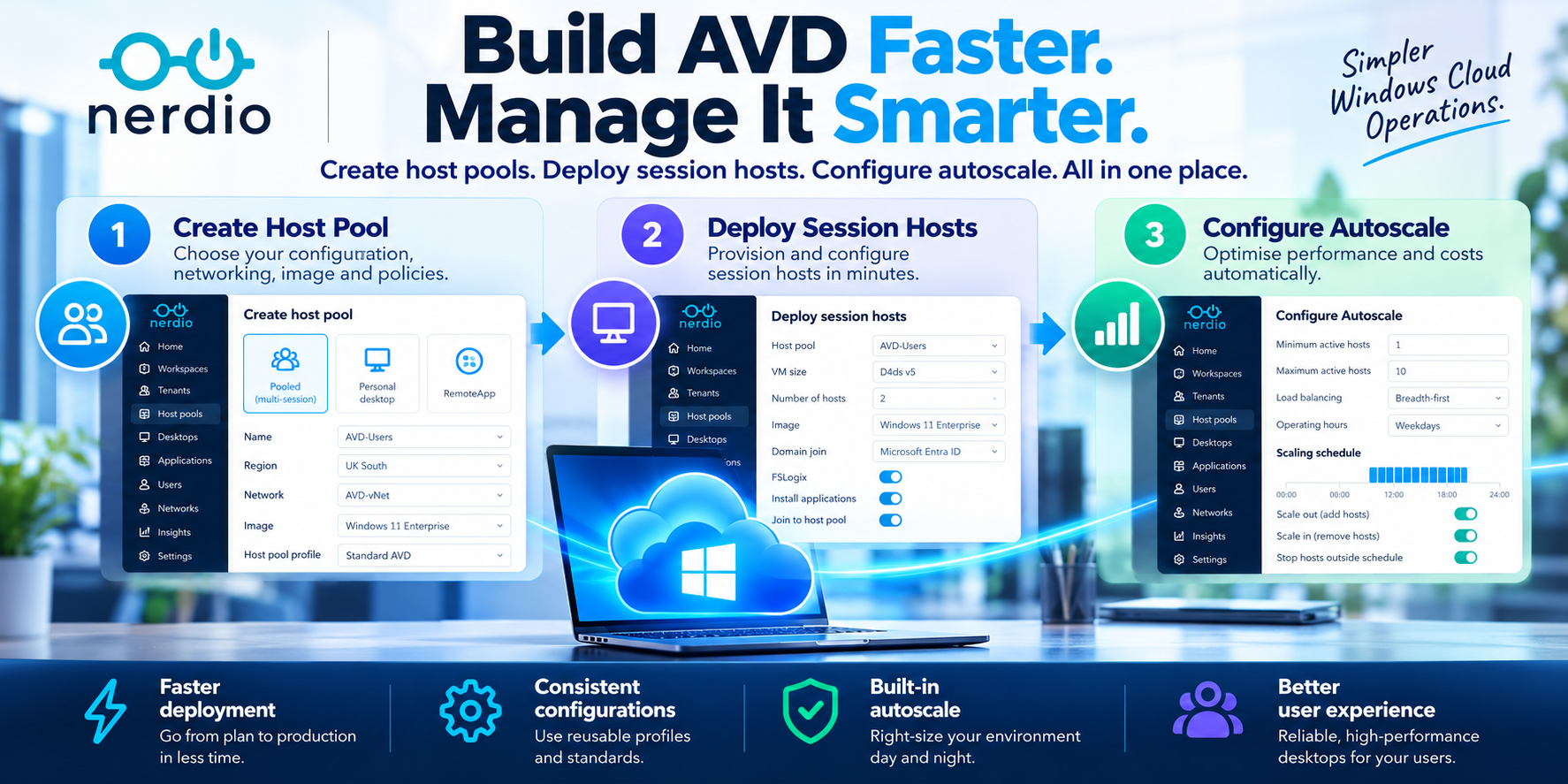
1. Creating an AVD Host Pool Doesn't Need to Be Complicated
A host pool is one of the fundamental components of Azure Virtual Desktop.
It defines a collection of session hosts that deliver desktops or RemoteApps to users.
Before deploying one, administrators need to consider several architectural decisions:
- Desktop experience: Pooled multi-session, personal desktop or RemoteApp.
- Identity: Microsoft Entra ID or supported Active Directory configurations.
- Networking: Virtual network, subnet and connectivity to dependent services.
- Image: Marketplace image or an organisation's custom desktop image.
- Session host sizing: VM family, vCPU, memory and operating-system disk.
- User experience: Load balancing, session limits and RDP properties.
- Profile management: FSLogix and the associated profile-storage configuration.
- Cost management: The scaling model and expected operating schedule.
With native Azure tooling, these settings may be configured across multiple Azure resources and management interfaces. Nerdio provides a more consolidated approach.
Administrators can create a new host pool, select the required deployment configuration and apply existing settings or reusable profiles where appropriate.
Watch: Creating a New AVD Host Pool with Nerdio
What makes the Nerdio approach different?
The real advantage isn't simply reducing the number of clicks.
It's the ability to create a consistent deployment process.
For example, an organisation might maintain separate host pools for finance users, developers, general knowledge workers and high-performance workloads.
Although each host pool may require different VM sizes or session limits, many other settings can be standardised.
Nerdio's Host Pool Profiles can help organisations reuse configurations for autoscaling, FSLogix, RDP and directory settings, rather than repeatedly defining the same values.
This makes it easier to maintain consistent deployment standards across multiple environments.
Fabs Field Recommendation
Before creating your first production host pool, define standard configurations for naming, networking, images, identity, FSLogix and scaling.
A repeatable host pool design is far easier to operate than an estate where every host pool has been configured differently.
2. Deploying an AVD Session Host
Once the host pool exists, the next step is to deploy the virtual machines that will deliver desktops or applications to users.
These are known as AVD session hosts.
A session host is not simply a Windows virtual machine.
It must be configured correctly to register with the AVD service, authenticate users, access required applications and services, and provide a reliable desktop experience.
Depending on the architecture, deployment may involve:
- Selecting the correct Windows image.
- Configuring VM size and operating-system disk.
- Connecting to the appropriate virtual network and subnet.
- Applying the required identity and domain-join configuration.
- Registering the VM with the AVD host pool.
- Applying FSLogix settings.
- Installing applications and supporting components.
- Applying Intune policies and validating compliance, where applicable.
- Confirming the host is available to accept user connections.
Nerdio brings these activities into a managed session-host deployment workflow.
Watch: Deploying a New AVD Session Host with Nerdio
Why does this matter?
Consider an organisation that needs to deploy ten additional session hosts.
The requirement isn't simply to create ten VMs.
Each session host must be configured consistently, connected to the correct services and prepared for users.
Nerdio helps automate and standardise these deployment activities, reducing the need for repetitive manual configuration.
Administrators can also incorporate application deployment policies and scripted automation into the session-host lifecycle.
This is particularly useful when environments need to be rebuilt, expanded or refreshed regularly.
Fabs Field Recommendation
Where possible, treat session hosts as replaceable infrastructure rather than individually maintained machines.
Use a controlled desktop image, automated application deployment and standardised configuration policies.
This makes scaling, troubleshooting and image updates considerably easier.
3. Configure Autoscale from Day One
Creating a host pool and deploying session hosts is only part of the process.
The next question is: How many session hosts should be running, and when?
An AVD environment sized for peak demand doesn't necessarily need to operate at peak capacity throughout the day.
For example, an organisation may have 500 users, but usage varies significantly between working hours, evenings and weekends.
Without an appropriate scaling strategy, organisations risk paying for compute resources that aren't required.
Nerdio Autoscale addresses this by dynamically managing session-host capacity according to configured schedules and demand.
Depending on the host pool and scaling configuration, Nerdio can start, stop, create or remove session hosts as required.
Key Autoscale Settings
| Configuration | Purpose | |
|---|---|---|
| Host pool capacity | Defines the baseline capacity available to users | |
| Minimum active hosts | Maintains the required number of running hosts | |
| Session limit | Controls the maximum number of sessions per host | |
| Load balancing | Determines how users are distributed across available hosts | |
| Scaling triggers | Determines when additional capacity is required | |
| Pre-staging | Starts or prepares hosts ahead of expected demand | |
| Operating schedules | Applies different scaling behaviour during working hours and off-peak periods | |
| Scale-in behaviour | Determines how unused capacity is removed | |
| OS disk optimisation | Can reduce storage costs for stopped hosts where supported |
One particularly useful capability is the ability to configure different schedules.
An organisation might operate: Monday–Friday, 08:00–18:00
Maintain sufficient capacity for normal business operations.
- Evenings → Reduce capacity as users disconnect.
- Weekends → Maintain a smaller number of hosts or use an alternative schedule based on expected demand.
This allows the AVD environment to respond more closely to actual business requirements.
Performance and Cost Need to Work Together
Autoscale shouldn't be viewed solely as a cost-saving feature. It is also a capacity-management mechanism.
Aggressive scaling may reduce infrastructure costs, but insufficient capacity can affect user experience.
The objective is to find the right balance between:
User demand + Session host capacity + Performance + Azure consumption
Fabs Field Recommendation
Start with realistic user-concurrency assumptions, appropriate session limits and sufficient capacity before the morning logon peak.
Then review actual usage and refine the scaling configuration. For pooled multi-session environments, consider whether breadth-first or depth-first load balancing best supports the organisation's performance and cost objectives.
4. From Deployment to Day-Two Operations
Another benefit of using Nerdio is that the management experience doesn't end when the host pool has been created.
Once deployed, administrators can continue managing the environment through the same platform.
This includes:
- Image management: Update and maintain the desktop images used by session hosts.
- Application management: Deploy and update applications using supported Nerdio application-management capabilities.
- Autoscale: Adjust schedules, capacity and scaling behaviour as usage changes.
- Session management: Investigate and manage user sessions.
- Real-Time Insights: Access operational information to assist with performance troubleshooting.
- Monitoring and reporting: Review infrastructure health, operational activity and resource consumption.
This is an important distinction.
The value of a deployment platform shouldn't be measured only by how quickly it creates infrastructure.
It should also be measured by how easily that infrastructure can be maintained throughout its lifecycle.
5. Why Standardisation Matters at Scale
Imagine an organisation deploying AVD across three Azure regions, with separate host pools for multiple departments. Without standardisation, every new deployment risks introducing configuration differences. These differences can complicate troubleshooting, security reviews and future changes.
With Nerdio, organisations can build a more repeatable deployment approach:
Standard desktop image
↓
Reusable host pool configuration
↓
Automated session-host provisioning
↓
Consistent Autoscale policies
↓
Centralised monitoring and management
This provides a foundation for scaling AVD without unnecessarily increasing administrative complexity.
For organisations migrating from Citrix, VMware Horizon or traditional Remote Desktop Services, the ability to standardise host pool creation and session-host provisioning can also simplify the transition to a new operating model.
Final Thoughts
For me, one of Nerdio Manager's strongest capabilities remains its ability to simplify the everyday tasks involved in operating Azure Virtual Desktop.
Creating a host pool, deploying session hosts and configuring autoscaling are fundamental activities.
They shouldn't require administrators to repeatedly work through disconnected processes or manually recreate the same settings.
Nerdio brings these activities together into a more streamlined, repeatable workflow.
And importantly, the benefits continue after deployment.
Organisations can use the same platform to manage images, applications, session-host capacity, performance and ongoing optimisation.
My recommendation is simple: don't treat host pool deployment, session-host provisioning and autoscaling as three separate projects.
Design them together from the beginning.
The result is an AVD environment that is easier to deploy, more consistent to manage and better positioned for ongoing performance and cost optimisation.
Nerdio doesn't remove the need for good AVD architecture. It makes implementing and operating that architecture considerably simpler.
References and Further Reading
Nerdio – Create Dynamic Host Pools
https://nmehelp.getnerdio.com/hc/en-us/articles/26124383616909-Create-dynamic-host-pools
Nerdio – Host Pool AVD Configuration
https://nmehelp.getnerdio.com/hc/en-us/articles/26124330130445-Host-Pool-AVD-Configuration
Nerdio – Host Pool VM Deployment
https://nmehelp.getnerdio.com/hc/en-us/articles/25499422656909-Host-pool-VM-deployment
Nerdio – Enable Dynamic Host Pool Autoscaling
https://nmehelp.getnerdio.com/hc/en-us/articles/26124304193037-Enable-dynamic-host-pool-Auto-scaling
Nerdio – Manage Host Pool Profiles
https://nmehelp.getnerdio.com/hc/en-us/articles/26124342722701-Manage-host-pool-profiles
Video 1 – Creating an AVD Host Pool
https://youtu.be/h8isJ5BRkRI
Video 2 – Deploying an AVD Session Host
https://youtu.be/sEpiZXwmnE0
Click Here To Return To Blog